
Cloud Backup & Security

The Essentials of Cloud Backup & Security
As businesses grow, so do their needs for robust data protection. Cloud backup and security are indispensable for companies seeking to safeguard their critical data. The threats facing online entities are constantly evolving, and it’s more crucial than ever to implement a comprehensive security strategy that ensures your website, data, and customer information are well protected.
Understanding Modern Website Threats
Businesses face increasingly sophisticated attacks, from malware and ransomware to phishing and data breaches. Hackers often target sensitive data stored online, looking for weaknesses in a site’s security defenses. In particular, small businesses are often targeted because of their perceived vulnerability and lack of sophisticated security measures. The risks associated with inadequate security can be far-reaching, including loss of reputation, regulatory fines, and customer trust.
What makes these threats so dangerous is their complexity and the speed at which they evolve. Cybercriminals use advanced tactics to bypass traditional security measures, making it more challenging for businesses to protect themselves. Without proactive measures, organizations risk not only the loss of vital data but also their operational integrity. Cloud backup solutions are designed to help mitigate these threats by ensuring that your data is stored securely and can be recovered swiftly during an attack.
Why Cloud Backup & Security is Essential
Cloud backup and security have become non-negotiable components of any modern business’s digital strategy. The primary reason is that physical data storage methods, such as hard drives or on-site servers, are no longer sufficient to protect against the increasing number of threats. Cloud backup provides businesses with an off-site solution for data storage that is often more secure, scalable, and reliable than traditional methods.
By leveraging cloud solutions, businesses can store data in highly secured data centers, ensuring it is regularly backed up and easily accessible if needed. In the event of a cyber-attack, system failure, or accidental deletion, cloud-based systems offer an effective disaster recovery solution, ensuring minimal downtime and business continuity.
Moreover, cloud security comes with features like encryption, multi-factor authentication, and continuous monitoring, offering an additional layer of protection that is often difficult to achieve with traditional security measures. Cloud services are typically managed by professionals who continuously update security protocols to stay ahead of emerging threats, giving businesses peace of mind that their data is safe.
How Cloud Solutions Outperform Traditional Security
While still useful, traditional security methods fall short in several key areas compared to cloud-based solutions. One of the primary advantages of cloud solutions is their scalability. Traditional on-site storage methods often require significant investment in hardware and infrastructure. As businesses grow, so do their storage needs. In contrast, cloud backup solutions provide flexible and scalable storage options that can grow with the company without requiring costly upgrades or hardware investments.
Furthermore, cloud backup services are managed by experts specializing in data protection. These services often come with automatic backups, regular updates, and real-time monitoring—costly and time-consuming features to implement with traditional methods. Cloud platforms use advanced encryption techniques to ensure that your data is stored securely and protected during transit. These features make cloud solutions not just a backup tool but a comprehensive security solution for modern businesses.
The Peace of Mind Offered by Comprehensive Protection
One of the most valuable aspects of cloud backup and security is the peace of mind it provides to business owners and their teams. Knowing that your data is backed up securely, that you can recover it in the event of an attack, and that you have ongoing protection against evolving threats allows you to focus on growing your business. Cloud backup ensures that even if your systems are compromised or damaged, your vital data can be restored quickly, minimizing disruption to your operations.
Moreover, cloud security offers protection from cyber threats 24/7, with continuous monitoring that identifies and neutralizes potential risks before they can do damage. For business owners, this means reduced stress and confidence that their data is handled with the utmost care and professionalism. With cloud solutions, you can rest assured that your critical business data is secure, accessible, and protected from growing cyber threats.
How Cloud Backup Safeguards Your Business
Safeguarding your business’s data is more critical than ever. Data loss or corruption can result in significant downtime, financial loss, and damage to your reputation. Cloud backup solutions offer businesses a reliable, scalable, and secure way to protect their data. By using cloud-based services, companies ensure that their data is safely stored and easily retrievable in the event of a disaster. Let’s dive into the ways cloud backup safeguards your business.
Continuous Data Protection with Automated Backups
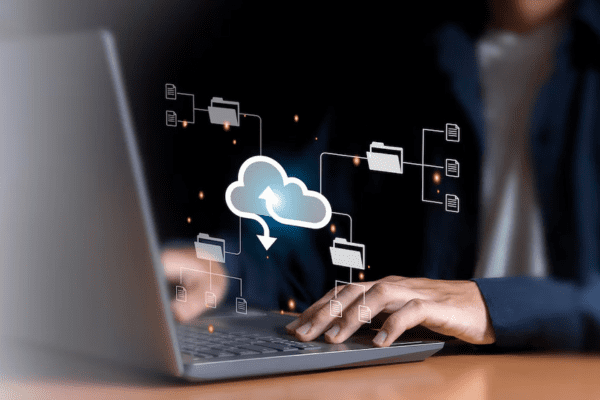
Continuous data protection is a key feature that makes cloud backup solutions so effective. Unlike traditional methods, where backups are done manually or on a set schedule, cloud backup services operate in real-time, automatically backing up your data as changes occur. Every time a file is modified, saved, or added, it is automatically captured and securely stored in the cloud. This ongoing protection ensures that you are always up to date and that no essential changes are lost.
Automated backups are particularly beneficial for businesses that handle large volumes of data or require constant access to their files. Having data backed up continuously without manual intervention frees up valuable time for employees to focus on other essential tasks. In addition, the automated nature of cloud backups reduces the risk of human error, ensuring that critical data is always protected without the chance of skipping a backup.
Disaster Recovery: Restoring Your Website Instantly
Disasters caused by natural events, cyber-attacks, or technical failures can wreak havoc on businesses if data isn’t backed up. In the past, recovering from such disasters could take days, weeks, or even longer. Cloud backup solutions, however, offer an instant disaster recovery option. Storing your data in the cloud is accessible from anywhere, at any time. In a disaster, whether a hardware failure, ransomware attack, or accidental file deletion, cloud backup allows you to restore your website and data almost immediately.
Cloud backup services have robust systems to restore data quickly and efficiently, minimizing downtime and disruption. This rapid recovery helps businesses maintain operations and avoid losing revenue or customer trust. In some cases, cloud backup services also allow for granular restores, enabling you to retrieve specific files or versions of documents instead of restoring everything, which is ideal when only certain pieces of data have been compromised.
Version Control: Retrieve Lost or Corrupted Files
One of the most valuable features of cloud backup solutions is version control. This feature allows businesses to maintain multiple versions of files over time, ensuring that if a file becomes corrupted, deleted, or lost, there’s always a previous version available for recovery. Whether it’s a mistakenly overwritten spreadsheet, a corrupted document, or a critical deleted file, version control ensures you can roll back to an earlier, unaltered version.
Having access to multiple file versions adds a layer of protection. In the case of accidental modifications or errors made by team members, it allows you to quickly retrieve the original file or the correct version, saving valuable time and preventing disruptions. Version control also offers peace of mind for teams working collaboratively on essential documents, as they can be confident that their work is protected from unintended changes.
Business Continuity Through Reliable Cloud Infrastructure
Business continuity is crucial in maintaining operations and protecting against potential threats. Cloud backup services provide a reliable infrastructure that ensures your business’s data remains protected and accessible, even in the face of challenges. Cloud providers typically store data in multiple data centers across different locations, which helps mitigate the risk of a single point of failure. This distributed infrastructure ensures that even if one data center experiences an issue, your data is still secure and can be accessed from another location.
Cloud providers invest heavily in security measures such as encryption, multi-factor authentication, and continuous monitoring to ensure your data is always protected from external threats. This level of infrastructure reliability and security is often far beyond what most businesses can achieve with on-site data storage solutions. By leveraging the cloud for backup and security, companies can ensure that their operations remain uninterrupted and their data is always safe, no matter what happens.
CodeGuard Website Backup: Ultimate Protection for Your Site
Your website is more than just a presence—it’s a key asset to your business. Website downtime, data loss, or security breaches can result in severe consequences, from lost revenue to damage to your brand’s reputation. CodeGuard offers a powerful solution to safeguard your website, providing reliable backup and protection services. With CodeGuard, businesses can ensure that their websites are secure, up-to-date, and quickly recoverable from any disaster.
What is CodeGuard and How It Works
CodeGuard is a premium website backup service that specializes in providing automatic daily backups and continuous monitoring of websites. It works by regularly backing up your website’s data, files, and databases, ensuring you always have access to a recent version in case something goes wrong. Whether your site is powered by WordPress, Joomla, or other CMS platforms, CodeGuard seamlessly integrates with your website, offering hassle-free protection without requiring technical expertise.
The service creates incremental backups, meaning it only backs up the changes made since the last backup. It saves both time and storage space. CodeGuard’s system monitors your site for any changes—a file modification, new malware, or a security vulnerability—and immediately captures these changes in a backup. If a problem occurs, you can restore your website to a previous, stable version in just a few clicks.
CodeGuard also features automatic alerts that notify you whenever it detects issues such as malware, website downtime, or unauthorized changes. This proactive approach allows you to respond to potential threats before they cause significant disruptions to your website’s functionality.
Key Features: Daily Backups, Monitoring, and Restore Options
CodeGuard offers several key features that stand out in website backups and security. First and foremost, CodeGuard performs daily backups, ensuring that your site is backed up regularly without manual intervention. These automatic backups capture all changes made to your website, offering a reliable safety net for your data.
Additionally, CodeGuard continuously monitors your website, checking for signs of malware, unexpected changes, and other potential issues. If it detects any malicious activity or modifications to your files, it will immediately send you an alert, enabling you to take quick action to resolve the problem. This monitoring function helps you avoid any security threats that might go unnoticed.
Another standout feature is CodeGuard’s restore options. Suppose your site experiences an issue such as a hack, data corruption, or accidental file deletion. In that case, you can easily restore it to a previous, working version using CodeGuard’s simple, user-friendly interface. Restoring your website in minutes allows you to minimize downtime and prevent permanent data loss.
Benefits of Using CodeGuard for E-commerce and Business Sites
For e-commerce websites and businesses that rely heavily on their online presence, CodeGuard is an essential tool. These sites are particularly vulnerable to security threats, such as hacking attempts, malware, and data breaches, which can jeopardize sensitive customer information and disrupt operations.
With CodeGuard, e-commerce businesses can ensure that product listings, customer data, order information, and payment systems are consistently backed up and recoverable. In case of a cyber-attack, CodeGuard provides a simple, reliable recovery process that ensures minimal impact on your business. The daily backups offer peace of mind, knowing that your site’s most recent data is always secure and accessible.
Moreover, CodeGuard allows businesses to maintain their site’s operational continuity without spending hours trying to recover lost data or rebuild a compromised website. Since backups are automatic and regular, business owners can focus on growing their business while knowing their website is protected.
How CodeGuard Ensures Minimal Downtime and Data Loss
Website downtime can significantly impact a business’s revenue and customer trust. Studies have shown that even a few minutes of downtime can result in substantial financial losses. CodeGuard helps mitigate the risk of downtime and data loss through its fast, efficient backup and restore system.
In a disaster, CodeGuard allows businesses to restore their website to its last working version in minutes, reducing downtime and minimizing the impact on operations. Regardless of the issue, be it a server crash, malware attack, or accidental data loss, CodeGuard guarantees a swift and effortless recovery process.
Additionally, CodeGuard’s incremental backup system reduces the likelihood of data loss by capturing only changes made to the website since the last backup. This means that even if a problem occurs, businesses can restore the most up-to-date version of their site without losing critical data.
By offering automated backups, continuous monitoring, and simple restore options, CodeGuard ensures that businesses experience minimal disruption during incidents. With this comprehensive backup solution, business owners can relax, confident in the protection of their website and the minimal risk of data loss or extended downtime.


CWatch – Advanced Website Security Made Simple
Ensuring your website’s security is no longer optional—it’s a necessity. Websites are prime targets for cybercriminals looking to exploit vulnerabilities, steal sensitive data, or launch disruptive attacks. CWatch is a comprehensive and user-friendly website security solution that offers advanced protection, combining real-time threat detection, malware removal, and proactive monitoring. By using CWatch, businesses can ensure their websites remain secure, reliable, and free from malicious activity, giving them peace of mind and the ability to focus on growing their operations.
What is CWatch and Why Your Site Needs It
CWatch is a managed website security service designed to protect your site from cyber threats and ensure its smooth operation. It offers an all-in-one solution that combines cutting-edge security technologies with expert management. Whether you’re running an e-commerce site, a corporate blog, or a personal portfolio, CWatch is equipped to handle the unique security challenges each type of website faces.
Every website, regardless of size or purpose, is vulnerable to cyberattacks. From brute force attacks and SQL injections to cross-site scripting (XSS) and malicious bots, the list of potential threats is growing. Without robust security measures, websites are susceptible to data breaches, downtime, and damage to their reputation. CWatch helps address these issues by providing multiple layers of protection, automated threat detection, and prompt action to safeguard your site.
What makes CWatch particularly valuable is its simplicity. Unlike traditional security solutions that require constant monitoring and technical know-how, CWatch is designed to be easy to use while offering advanced, automated protection. By outsourcing your website’s security to CWatch, you gain the expertise and infrastructure to defend against the most sophisticated attacks without the complexity of managing it yourself.
Real-Time Threat Detection and Malware Removal
One of the standout features of CWatch is its real-time threat detection and malware removal capabilities. Threats evolve quickly, and it’s crucial to identify and mitigate risks as soon as they emerge. CWatch continuously monitors your website, scanning for potential vulnerabilities, malware, and suspicious activities in real-time.
When a threat is detected, CWatch responds instantly, quarantining malicious files or activities to prevent them from spreading or causing damage. Whether it’s a malware infection or an unauthorized access attempt, CWatch immediately neutralizes the threat and protects your website. This proactive approach helps prevent costly data breaches, downtime, and reputational damage.
Moreover, if malware is detected on your site, CWatch’s malware removal process works automatically to clean up the affected files. It ensures that your website remains secure and operational without requiring manual intervention. Real-time threat detection and malware removal are key to minimizing the impact of attacks and maintaining a safe online environment for your visitors.
Web Application Firewall (WAF) and DDoS Mitigation
Web Application Firewalls (WAF) and Distributed Denial of Service (DDoS) mitigation are two of the most crucial security measures for defending against online attacks, and CWatch provides both. A Web Application Firewall (WAF) is a barrier between your website and incoming traffic, filtering out malicious requests and blocking unauthorized access attempts. It helps protect against attacks like SQL injections, XSS, and other vulnerabilities that target your website’s code.
CWatch’s WAF is designed to detect and block threats before they penetrate your site’s defenses, ensuring that only legitimate users gain access. It reduces the risk of your website being compromised and maintains its overall integrity. Additionally, the WAF is customizable, allowing you to fine-tune it to meet the specific security needs of your website.
DDoS mitigation is another critical feature provided by CWatch. DDoS attacks overwhelm a website’s servers by flooding it with traffic, causing the site to slow down or even crash. CWatch actively defends against DDoS attacks by monitoring traffic patterns and identifying unusual spikes that might indicate an attack. When a DDoS attack is detected, CWatch deploys counter measures to absorb the traffic, ensuring your site remains online and operational even under heavy load. This protection is crucial for businesses that rely on uptime to drive revenue and maintain customer trust.
Managed Security Services: Around-the-Clock Expert Monitoring
One of the most valuable aspects of CWatch is its managed security services, which provide around-the-clock expert monitoring of your website. As cyber threats become more sophisticated, a dedicated team of security professionals monitoring your site 24/7 can make all the difference.
CWatch’s managed services ensure your website’s security is never compromised, even while you sleep. The security team continuously checks for emerging threats, performs routine maintenance, and implements security updates as needed. This proactive monitoring helps prevent potential issues before they escalate and provides immediate responses to any threats detected.
The experts at CWatch bring deep industry knowledge and experience so you can trust that your site is safe. They handle all aspects of website security, from patching vulnerabilities to ensuring compliance with security standards. This level of expert oversight is invaluable for business owners who want to focus on their core operations without worrying about the technical complexities of cybersecurity.
With managed security services, CWatch offers more than just automated protection—it provides personalized, expert support to ensure your website’s security is always at its highest level. Whether you’re dealing with a security breach or simply need reassurance that your site is safe, the CWatch team is always ready to assist.
HackerGuardian PCI Scanning: Stay Compliant, Stay Secure
For online businesses, ensuring the security of customer data and maintaining compliance with industry standards is a top priority. Companies must proactively protect sensitive payment information as cyber threats become more sophisticated. HackerGuardian PCI Scanning is essential for businesses seeking to achieve and maintain PCI (Payment Card Industry) compliance. It provides a streamlined approach to identifying and addressing vulnerabilities, ensuring security and compliance. By using HackerGuardian, online businesses can demonstrate their commitment to safeguarding customer information and avoid costly penalties associated with non-compliance.
Overview of PCI Compliance for Online Businesses
PCI compliance is a set of security standards designed to protect cardholder data and reduce the risks associated with credit card fraud. It was created by the Payment Card Industry Security Standards Council (PCI SSC), a global organization comprising major credit card companies, including Visa, MasterCard, and American Express. PCI compliance applies to any business that accepts, processes, stores, or transmits credit card information.
The PCI Data Security Standard (DSS) outlines 12 specific business requirements, including maintaining a secure network, implementing strong access control measures, monitoring and testing networks, and regularly conducting vulnerability scans. Compliance with PCI standards helps businesses protect sensitive customer data, minimize fraud risks, and avoid security breaches that can lead to devastating financial and reputational damage.
For online businesses, maintaining PCI compliance is essential not only for legal and regulatory reasons but also to build customer trust. Failure to comply can result in hefty fines, legal consequences, and, most importantly, the loss of consumer confidence. It is where HackerGuardian PCI Scanning comes into play. It simplifies compliance by providing businesses with the tools to scan their websites for vulnerabilities and ensure they meet PCI DSS’s security standards.
How HackerGuardian Simplifies PCI Scanning
HackerGuardian simplifies PCI scanning by offering an automated, user-friendly solution that helps businesses comply with PCI DSS requirements. One of the most challenging aspects of PCI compliance is conducting regular vulnerability scans to identify weaknesses in your systems. These scans must be performed quarterly and whenever significant network changes occur.
HackerGuardian streamlines this process by offering automated scans that can be scheduled regularly, ensuring your business meets PCI compliance requirements without manual intervention. The tool conducts in-depth scans of your website, web applications, and servers to identify any vulnerabilities or gaps in security that attackers could exploit. These scans specifically focus on vulnerabilities that could risk customer payment card information, such as outdated software, misconfigurations, or weak encryption methods.
Additionally, HackerGuardian provides clear, actionable reports after each scan, detailing any issues that need attention and offering recommendations on how to resolve them. It makes it easy for businesses to understand and address vulnerabilities promptly. Rather than leaving enterprises to navigate complex security tasks alone, HackerGuardian provides clear guidance on rectifying issues and maintaining compliance.
Identifying and Fixing Vulnerabilities Before Hackers Strike
One of the primary functions of PCI scanning is to identify vulnerabilities before hackers can exploit them. Cybercriminals constantly search for weaknesses in websites and payment systems to steal sensitive payment data. Vulnerabilities such as outdated software, weak encryption, and unsecured payment forms can create entry points for attacks like data breaches, credit card fraud, and ransomware.
HackerGuardian’s vulnerability scanning tools help businesses identify these weaknesses early on by scanning for known security issues and potential risks. The tool checks for PCI DSS security standards compliance, identifying problems such as unpatched software, improper access controls, or weak password policies that attackers could exploit. By finding these vulnerabilities before hackers do, businesses can take corrective action to secure their systems and avoid costly breaches.
The beauty of HackerGuardian’s service lies in its simplicity and efficiency. It scans for vulnerabilities and provides detailed instructions on how to fix the issues it identifies. It ensures businesses can quickly and efficiently address potential risks without extensive technical expertise. Regular vulnerability scanning is essential to maintaining PCI compliance, and HackerGuardian automates this process to make it as seamless and straightforward as possible.
Meeting Industry Standards to Build Customer Trust
Meeting PCI compliance standards is not only about avoiding fines and penalties; it’s also about building customer trust. Consumers today are more concerned about their personal and payment information security than ever before. Businesses that take the necessary steps to protect this information stand out as trustworthy and reliable.
HackerGuardian helps businesses achieve PCI compliance by conducting regular, automated vulnerability scans that ensure they meet the PCI DSS’s rigorous security standards. When customers see that a business is PCI-compliant, it reassures them that their sensitive data is being handled securely, which can lead to higher conversion rates, increased customer loyalty, and fewer abandoned shopping carts.
Additionally, businesses that fail to comply with PCI standards may find it difficult to secure payment processing services from major financial institutions. By maintaining compliance with the help of HackerGuardian, businesses protect their customers and ensure they can strengthen relationships with payment processors, facilitating smooth transactions and uninterrupted business operations.
HackerGuardian PCI Scanning is an invaluable tool for businesses looking to stay compliant with PCI DSS requirements while ensuring the security of their customers’ payment information. By automating vulnerability scans, identifying risks before hackers can exploit them, and providing actionable recommendations, HackerGuardian helps businesses stay easily secure and compliant. The service minimizes the risk of security breaches and strengthens customer trust, positioning businesses for long-term success.


HackerProof Trust Mark: Boost Your Website Credibility
Customers increasingly know the risks of sharing their personal and financial information online. As a result, they prefer to do business with websites that show a clear commitment to security. The HackerProof Trust Mark is a powerful tool designed to help companies demonstrate their commitment to cybersecurity and build customer credibility. By displaying this trust mark, companies can assure their customers that their website is safe, secure, and protected from cyber threats.
What is the HackerProof Trust Mark?
The HackerProof Trust Mark is a security seal provided by security service providers like ScanAlert (now part of McAfee). It indicates that a website has passed rigorous security scans and is free from vulnerabilities that cybercriminals could exploit. When a website displays this trust mark, it signals customers that it has undergone regular, automated security testing to ensure its integrity.
The trust mark represents more than just a symbol of security—it’s a sign that the website has been verified for its security protocols and adheres to industry standards for protecting sensitive customer data. It includes scanning for malware, vulnerabilities, and other threats that could compromise the website’s security. The HackerProof Trust Mark offers peace of mind to visitors, knowing that the site they are visiting has been vetted for potential risks.
Websites that display the HackerProof Trust Mark are viewed as more secure and reliable, creating a sense of confidence in the user. This trust mark can be prominently displayed on key website pages, such as the homepage, checkout pages, and contact forms, where visitors’ security is of utmost concern.
How Displaying the Trust Mark Increases Conversions
One of the key benefits of displaying the HackerProof Trust Mark is its potential to increase conversions. Consumer behavior is heavily influenced by trust. When customers are unsure about the safety of a website, they are less likely to proceed with purchasing, signing up, or sharing sensitive information. By visibly displaying a security seal like HackerProof, businesses can significantly improve their chances of converting visitors into customers.
Numerous studies have shown that trust marks on a website increase consumer confidence. Customers are more likely to complete a transaction when they see that the website is certified as safe and secure. The HackerProof Trust Mark is a digital guarantee that the site has been thoroughly tested and that any potential vulnerabilities have been addressed.
Additionally, showing that your website has passed regular security scans demonstrates your business’s commitment to protecting customer data. In today’s environment, where data breaches and identity theft are rising, customers increasingly seek reassurance that their personal and payment information will be handled securely. By displaying the HackerProof Trust Mark, businesses can reassure customers that they are taking all necessary precautions to protect their sensitive information, ultimately leading to higher conversion rates.
Daily Scanning for Vulnerabilities to Protect Your Brand
The HackerProof Trust Mark is not just a one-time certification but a dynamic, ongoing process. Websites that display this trust mark undergo daily security scanning to identify and resolve vulnerabilities that could put them at risk. This constant vigilance ensures that your website remains protected against evolving cyber threats like malware, viruses, and security exploits.
Cybercriminals are constantly developing new tactics to attack websites, making it essential for businesses to stay ahead of potential threats. Daily scans help identify weaknesses in real-time, allowing companies to address vulnerabilities before they can be exploited. This proactive approach to security ensures that your website remains secure, reducing the likelihood of security breaches that could harm your brand’s reputation.
Businesses can be confident that their website is continually being tested against the latest threats by choosing a security solution that provides daily scanning. The HackerProof Trust Mark, therefore, acts as a symbol of your ongoing commitment to security, not just a one-time evaluation. This continuous protection helps to safeguard your brand’s reputation and ensures that customers constantly interact with a secure, trusted website.
Enhancing Customer Confidence with Visible Security Assurance
In an era where data breaches and online fraud are rampant, customers need reassurance that the websites they visit are safe to use. Visible security assurance plays a significant role in boosting customer confidence, and the HackerProof Trust Mark is a highly effective way to provide this. Displaying the trust mark prominently on your website provides visitors with a clear and visible indication that your site has undergone security vetting.
Visitors who see the HackerProof Trust Mark instantly recognize that the website has passed comprehensive security scans. This visible signal of trust helps eliminate concerns about data breaches, fraud, or identity theft, common fears when shopping or transacting online. Whether browsing products, submitting contact forms, or entering sensitive payment information, customers are more likely to proceed confidently, knowing their data is protected.
Furthermore, the HackerProof Trust Mark helps to distinguish your website from competitors who may not offer the same level of security assurance. Offering visible security measures like this trust mark can significantly enhance your ability to attract and retain customers in a crowded marketplace. It provides an immediate sense of credibility and professionalism, enhancing your brand’s reputation in customers’ eyes.
The HackerProof Trust Mark is a powerful tool for businesses looking to build credibility, increase conversions, and protect their brand. By providing visible security assurance, daily scanning for vulnerabilities, and demonstrating a commitment to customer data protection, businesses can improve their website’s security and foster trust and confidence with their customers. This trust is invaluable, where customer loyalty is hard-earned and easily lost.
SiteLock – Complete Website Protection Suite
Cybersecurity is no longer a luxury—it’s necessary for businesses that rely on their online presence. Websites are frequent targets for cybercriminals, and without proper protection, they can become vulnerable to a wide array of cyberattacks. SiteLock offers a comprehensive website protection suite to safeguard your site from malicious threats, keep it up and running, and enhance its performance. With a focus on proactive security, SiteLock provides all the tools needed to scan, detect, and fix security issues, ensuring your website stays secure and performs at its best.
Understanding SiteLock: Scan, Detect, and Fix Threats
SiteLock is a fully integrated security platform that combines automatic threat detection, malware removal, and vulnerability patching to protect websites from cyber threats. It is designed for website owners, developers, and businesses of all sizes, providing an all-encompassing solution to website security.
The first step in SiteLock’s security process is its scanning feature. SiteLock performs routine, automated scans of your website to detect potential vulnerabilities, malware, and other security issues. This real-time scanning system allows you to monitor the health of your website continuously and immediately alerts you to any security issues that need to be addressed. SiteLock doesn’t just detect these threats—it also provides automated solutions to fix them.
When a website is compromised, it can result in loss of data, stolen information, downtime, or even blocklisting by search engines. SiteLock addresses this by fixing security vulnerabilities and removing malware as soon as they are detected. Its automated process significantly reduces the time it takes to respond to a threat, ensuring your website remains secure with minimal disruption to your operations. By regularly scanning, detecting, and fixing these issues, SiteLock offers a complete, ongoing security solution that helps businesses keep their online presence safe from harm.
Daily Malware Scanning and Automated Vulnerability Patching
One of the key features of SiteLock is its daily malware scanning. Websites, especially those powered by content management systems (CMS) like WordPress, Joomla, and Drupal, are often targeted by hackers due to the use of third-party plugins and themes that may contain vulnerabilities. These vulnerabilities can allow malware to infiltrate the site, leading to data breaches, unauthorized access, or damage to the site’s functionality.
SiteLock’s daily malware scanning feature actively checks your website for harmful files, scripts, and other malicious elements that could compromise your site’s security. The scans are thorough and automated, ensuring new threats are detected and addressed in real-time without manual intervention.
In addition to malware scanning, SiteLock offers automated vulnerability patching. Many website vulnerabilities arise from outdated software or plugins. SiteLock identifies and automatically applies patches to ensure your site’s software is always up to date, reducing the risk of cyberattacks exploiting unpatched vulnerabilities.
Automated patching saves valuable time and effort by ensuring that your website’s software remains secure, removing the burden of manual updates, and minimizing the chances of overlooking critical security updates. Combining daily malware scans with automated vulnerability patching, SiteLock ensures your website is protected from existing and emerging threats.
Web Application Firewall (WAF) and CDN Integration
SiteLock also includes a Web Application Firewall (WAF) as part of its security suite. A WAF is designed to act as a shield between your website and the internet, filtering out malicious traffic before it reaches your site. The WAF monitors and blocks harmful activities such as SQL injection, cross-site scripting (XSS), and other hacking attempts. By blocking these attacks, the WAF prevents unauthorized access to your website and secures sensitive data.
SiteLock’s WAF is complemented by its Content Delivery Network (CDN) integration. A CDN is a network of servers strategically located worldwide that caches your website’s content and serves it to visitors from the closest available server. This integration enhances both your website’s security and performance. The CDN acts as a second layer of defense, helping to protect your website from Distributed Denial of Service (DDoS) attacks, which aim to overwhelm your server with traffic and take your site offline.
Using both WAF and CDN together, SiteLock ensures that malicious traffic is filtered out before it reaches your site while improving the loading speed for legitimate users. This dual layer of security protects your website from cyberattacks and improves its overall performance, providing a better user experience for your visitors.
How SiteLock Helps Your Website Load Faster and Stay Safer
While security is paramount, site speed is another critical aspect of website performance. A slow-loading website can lead to higher bounce rates, reduced user engagement, and a negative impact on SEO rankings. SiteLock addresses this by integrating CDN technology into its protection suite, which enhances security and improves your website’s loading time.
By distributing content across multiple servers worldwide, the CDN ensures that users are served from the nearest server, reducing the distance data needs to travel and speeding up page load times. This results in a faster, more responsive website that can handle traffic more efficiently. Faster loading times improve user experience, leading to higher conversion rates and improved customer satisfaction.
Additionally, SiteLock’s real-time scanning and malware removal prevent the site from becoming sluggish due to malicious scripts or resource-draining malware. By preventing malware from infiltrating and slowing down your website, SiteLock helps ensure your site remains fast and functional for all users.
SiteLock offers an all-in-one solution for website protection. From malware scanning and vulnerability patching to WAF and CDN integration, SiteLock ensures that your website remains secure, performs optimally, and offers visitors a safe, fast experience. With SiteLock, website owners can rest easy knowing their site is protected by a robust, automated security suite that handles performance and protection needs.

Choosing the Right Cloud Backup & Security Solution
Securing your business’s data and infrastructure is no longer a choice—it’s a necessity. As enterprises rely increasingly on digital platforms, the need for reliable, secure cloud backup and security solutions has never been more critical. Choosing the right solution for your business requires a thoughtful approach considering various factors such as your needs, security risks, features, and budget. A well-chosen cloud backup and security solution will help protect your critical data, ensure business continuity, and mitigate the dangers posed by cyber threats. Here’s how to evaluate and choose the best solution for your business.
Evaluating Your Business Needs and Security Risks
The first step in choosing the proper cloud backup and security solution is understanding your business’s unique needs and the specific security risks you face. Every business has different data requirements, security vulnerabilities, and regulatory compliance concerns, and your cloud backup solution must align with these factors.
Start by assessing the type of data your business handles—customer information, intellectual property, or financial records. The sensitivity of this data will influence the level of security you require. For example, businesses in finance, healthcare, or e-commerce sectors often need higher levels of protection due to the sensitive nature of the information they manage. Identifying this data’s value and vulnerability is essential in determining the most appropriate backup and security measures.
Next, evaluate the potential security risks your business faces. For instance, if you operate an online store, you may be more vulnerable to cyberattacks like DDoS (Distributed Denial of Service) attacks, phishing, or ransomware. On the other hand, businesses that handle large volumes of sensitive customer information may face risks such as data breaches or theft. By assessing these risks, you can identify which security solutions—such as advanced threat detection, malware protection, and encryption—are essential for your business.
A comprehensive risk assessment helps you align your cloud backup and security needs with a solution to protect your data and prevent disruptions, ensuring you’re not under-protected or over-paying for unnecessary features.
Comparing Key Features: Backup Frequency, Threat Response, Compliance
When comparing cloud backup and security solutions, you must evaluate key features to ensure the solution meets your business’s requirements. Three essential features to consider are backup frequency, threat response, and compliance.
Backup Frequency: The frequency of your backups is crucial for ensuring that your data is protected in real-time. Some businesses require hourly or minute-by-minute backups, mainly when dealing with time-sensitive or mission-critical data. For others, daily or weekly backups may be sufficient. Evaluate how often the solution performs backups and whether it aligns with your data availability and recovery needs. A solution that offers incremental backups—only saving changes made since the last backup—can be more efficient and reduce storage costs, making it a good option for businesses with large datasets.
Threat Response: Cybersecurity is an ongoing challenge, and your cloud backup and security solution should provide real-time threat detection and a fast response to any emerging risks. Look for solutions that offer automated malware scans, vulnerability monitoring, and the ability to respond quickly to potential threats. Solutions that provide instant alerts, automated patching, and a dedicated support team to handle incidents are highly beneficial, especially for businesses that lack in-house IT expertise.
Compliance: Depending on your industry, your business may need to comply with specific regulations such as GDPR, HIPAA, or PCI DSS. Ensuring your cloud backup and security solution meets these compliance standards is essential. A compliant solution will help protect sensitive data and avoid costly fines associated with non-compliance. Check if the solution provides the necessary audit trails, encryption, and data privacy features to meet the required regulations.
When evaluating cloud solutions, it’s vital to consider how well they align with your needs across these features. The right combination of backup frequency, threat response capabilities, and compliance adherence can make or break the effectiveness of your cloud backup and security strategy.
Budgeting for Comprehensive Security Without Compromise
While robust cloud backup and security solutions are vital to protecting your business, balancing comprehensive protection with your budget is essential. Investing in high-quality security solutions may seem costly, but the price of a data breach or loss of critical information far outweighs the cost of prevention.
Begin by assessing your business’s budget for security and backup solutions. It’s important to remember that while free or low-cost solutions may be tempting, they often lack the features and reliability a business needs. Investing in a premium solution that offers comprehensive backup, real-time threat detection, automatic patching, and customer support will provide more long-term value.
When budgeting for cloud security, also consider the total cost of ownership. Some solutions may offer lower initial costs but have hidden fees for additional storage, scaling, or security features. Consider whether the solution is scalable to accommodate your business growth and whether it offers flexibility as your needs evolve. Additionally, ensure that the solution fits your IT infrastructure, whether you have a fully managed IT department or rely on third-party services—factor in the costs of implementation, training, and ongoing support to ensure a seamless experience.
By carefully considering your business’s budget and weighing the costs against comprehensive security benefits, you can find a solution that provides complete protection without breaking the bank.
Why a Multi-Layered Approach Always Wins
Finally, when selecting a cloud backup and security solution, adopting a multi-layered approach to security is crucial. Cyber threats constantly evolve, and relying on a single solution may not provide adequate protection. A multi-layered approach means using a combination of tools and strategies that complement each other to ensure comprehensive security.
For instance, your cloud backup solution should be complemented by security measures such as firewalls, encryption, vulnerability scanning, malware detection, and threat monitoring. Integrating these layers will make it more difficult for cybercriminals to bypass your defenses and compromise your data. Moreover, layering solutions provide redundancy, meaning if one line of defense fails, others will still protect your website and data.
A multi-layered approach also provides flexibility. As your business grows or faces new security challenges, you can scale and adjust your security strategy without compromising the overall effectiveness of your protection. This approach ensures that you can quickly respond to new threats while maintaining robust protection against known and unknown risks.
Choosing the proper cloud backup and security solution involves evaluating your business needs, comparing key features, budgeting for comprehensive protection, and adopting a multi-layered strategy. By following these steps, you can secure your business data, maintain compliance, and protect against emerging cyber threats—ensuring your online presence’s long-term success and safety.
Why Choose Us for Cloud Backup & Security
Securing your business’s data is more critical than ever. With cyber threats becoming more sophisticated, companies must prioritize data protection to avoid data loss, breaches, and other security vulnerabilities. When it comes to cloud backup and security solutions, choosing the right partner can make all the difference. We offer state-of-the-art security features, tailored solutions, and around-the-clock support to ensure your business stays safe and operates smoothly. Here’s why companies choose us for their cloud backup and security needs.
Expertise and Industry-Leading Technologies
At the heart of our cloud backup and security solutions is a wealth of expertise and a commitment to utilizing industry-leading technologies. Our team comprises seasoned cybersecurity professionals with years of experience protecting businesses from ever-evolving cyber threats. We continuously invest in the latest security technologies to stay ahead of emerging risks, ensuring that our solutions are equipped to defend against the most sophisticated attacks.
We leverage advanced encryption technologies, multi-layered firewalls, machine learning algorithms, and AI-driven threat detection systems to provide cutting-edge protection. These technologies enable us to monitor your website and data in real time, detecting potential threats and vulnerabilities before they can cause harm. Combining our deep industry knowledge with these advanced tools, we offer unmatched security and backup solutions that safeguard your business’s most valuable assets.
Moreover, our solutions are not static; they evolve in response to new threats and technological advancements. Our approach ensures that your security infrastructure remains robust, agile, and capable of handling whatever challenges the digital landscape may present. With our industry-leading technologies, your business can stay ahead of potential risks and focus on growth and success without the fear of data loss or security breaches.
Tailored Solutions for Businesses of Every Size
Every business has unique needs when it comes to data backup and security. Whether you’re a small startup or a large enterprise, we provide tailored solutions that meet your requirements. We understand that businesses differ in the types of data they handle, the volume of information they manage, and the level of security they need. That’s why we don’t offer a one-size-fits-all solution—we work closely with you to customize a plan that fits your business’s size, goals, and budget.
For small businesses, we offer cost-effective, easy-to-implement cloud backup solutions that ensure critical data is protected without breaking the bank. These solutions are scalable, so as your business grows, we can easily adjust the backup and security services to meet your evolving needs. For larger enterprises, we offer robust, enterprise-level solutions that provide extensive protection across multiple sites, applications, and data systems, with advanced features like automated disaster recovery, advanced threat monitoring, and compliance with regulatory standards.
This flexibility ensures businesses of all sizes can access the protection they need. Whether you’re a small business owner looking to secure your data or a global enterprise requiring enterprise-grade security, we have the expertise and tools to provide the right solution.
24/7 Support and Proactive Threat Monitoring
Cyber threats never sleep, and neither do we. Our commitment to your security extends beyond simply providing top-tier backup and protection services. We offer 24/7 support and proactive threat monitoring to ensure your business is always protected, regardless of time or day.
Our security operations center (SOC) monitors your systems around the clock, actively identifying potential threats and vulnerabilities. We use real-time monitoring tools to detect abnormal behavior, unusual traffic patterns, or any indicators of a cyberattack. If a potential threat is detected, our security experts respond immediately to neutralize the risk before it can cause any damage.
In addition to proactive monitoring, our customer support team is always available to assist with any concerns, technical issues, or emergencies. Whether you need help restoring data, configuring backup settings, or troubleshooting a problem, our team is just a phone call or message away. We prioritize your peace of mind, offering fast, reliable support to ensure your website and data remain safe and operational.
Trusted by Businesses Worldwide for Reliability and Trust
When it comes to cloud backup and security, trust is everything. Businesses worldwide choose us as their partner in securing their data and protecting their digital assets. We have earned a reputation for reliability, performance, and trustworthiness, serving businesses across various industries, including healthcare, e-commerce, finance, and more.
Our solutions are not only backed by advanced technology but also by a track record of proven success. We’ve helped thousands of businesses safeguard their data, recover from disasters, and protect against evolving cyber threats. Our clients trust us because we consistently deliver on our promises, providing them with peace of mind and allowing them to focus on running their business without worrying about security breaches or data loss.
We’re proud to have earned the trust of businesses of all sizes, from small startups to large enterprises, by delivering solutions prioritizing security, reliability, and customer satisfaction. When you choose us, you choose a partner with the experience, tools, and dedication to keep your business safe, secure, and ready to thrive in today’s digital world.
Get Started: Secure Your Website with Cloud Backup & Security Today
Securing your website is more important than ever. Cyber threats are on the rise, and businesses of all sizes need to take proactive steps to protect their data, safeguard customer information, and ensure their website remains operational. With the proper cloud backup and security solution, you can achieve peace of mind, knowing your website is protected from potential risks and vulnerabilities. Here’s how you can get started with our comprehensive cloud backup and security services today and ensure your website’s safety for the long term.
Simple Setup and Quick Onboarding Process
We understand that, as a business owner, time is valuable. That’s why we’ve designed our cloud backup and security solutions with simplicity in mind. Getting started with our services is easy and hassle-free, with a quick onboarding process that ensures you’re up and running quickly.
Our team will guide you through every setup step, ensuring your website is securely backed up and protected from day one. Whether you’re migrating from another service or implementing security for the first time, we provide a seamless integration process. We handle the technical details so you can focus on what matters most—growing your business.
Our intuitive interface and straightforward setup allow non-technical users to easily manage their cloud backup and security settings. Additionally, we provide clear instructions and user-friendly tools that make ongoing management a breeze. You don’t need to be an IT expert to protect your website—our team ensures that everything works smoothly from the start so you can quickly experience the benefits of enhanced security and data protection.
Ongoing Support and Managed Services for Ultimate Protection
Cybersecurity isn’t a one-time task; it’s an ongoing process. We offer 24/7 support and managed services to protect your website against the latest threats. Our team of experts is always available to assist with any questions or technical issues, providing you with continuous peace of mind.
With our managed services, we take care of all the technical aspects of website security, including vulnerability scanning, patch management, malware removal, and backup monitoring. It allows you to focus on running your business without worrying about the complexities of cybersecurity. We handle all the heavy lifting, from routine maintenance to immediate response during a security incident.
Furthermore, our proactive threat monitoring ensures your website is constantly monitored for potential risks. We detect and address vulnerabilities before they become significant issues, reducing the likelihood of a data breach or service disruption. With ongoing support and management, you can rest assured that your website is in expert hands and fully protected from evolving cyber threats.
Flexible Plans Tailored to Your Business Size and Industry
Every business is unique, and your website’s security needs will depend on your business size, industry, and the data type you handle. We offer flexible plans that can be customized to suit your specific needs, ensuring you get the right level of protection without paying for unnecessary features.
Whether you’re a small business, a growing startup, or a large enterprise, our plans scale to fit your needs. Our scalable solutions ensure that you only pay for the services you need. As your business grows, we can easily adjust your plan to accommodate increased storage, additional features, or enhanced security measures.
We also offer industry-specific solutions designed to meet different sectors’ unique regulatory and compliance requirements. Whether you operate in healthcare, finance, e-commerce, or another field, we ensure that our cloud backup and security services comply with the necessary regulations, such as HIPAA, GDPR, and PCI DSS. By choosing a plan tailored to your business size and industry, you can ensure that your website is secured with the right tools and features, all while staying within your budget.
Your Next Step: Schedule a Free Consultation Today
The first step in securing your website is to understand your specific needs and the solutions available. We make it easy to get started by offering a free consultation with one of our experts. During this consultation, we’ll review your website’s security posture, discuss your needs, and recommend the best cloud backup and security solutions for your business.
Our team will take the time to understand your business objectives and security requirements, ensuring we provide a solution that fits your unique situation. Whether you’re looking for basic backup services or a comprehensive security suite, we’ll help you navigate your options and make the right choice.
Once you’ve scheduled your consultation, we’ll walk you through every step of the process, from selecting the best plan to setting up your security features and ensuring that everything is configured correctly. We’re here to help you secure your website and ensure that your business can thrive without the constant worry of cyber threats.
To get started, simply contact us today and schedule your free consultation. Let us show you how our cloud backup and security solutions can protect your website, enhance customer trust, and support your business growth.
Secure Your Data with Cloud Backup & Security Solutions
Keep your data safe with Cloud Backup & Security. Automatically back up, secure, and recover your data with ease.
Secure with Us, Protect What Matters Most.
Frequently Asked Questions About Cloud Backup & Security
What is Cloud Backup?
Cloud backup, a remarkably convenient practice, involves storing your data remotely on a secure server over the internet. It eliminates the need for local storage devices and ensures that your data is safe and accessible from anywhere with an internet connection. The automatic backup feature of cloud backup services provides peace of mind, as you don’t have to worry about losing important information. Most services allow you to set a schedule for backups, and you can back up everything, including documents, photos, videos, and system settings. Cloud backup offers reliable data recovery options, making it a convenient and reassuring solution in case of unexpected events.
Why is Cloud Backup Important?
Cloud backup is crucial because it provides an extra layer of protection against data loss. Unlike traditional backup methods, such as external hard drives, cloud backups ensure that your data is stored in a remote location, often protected by advanced security measures like encryption. It means your files are safe from local disasters like fires, floods, or theft. Additionally, cloud backups offer easy accessibility from any device, making it simple to restore your data quickly. This flexibility is especially beneficial for businesses where downtime due to data loss can be costly. Whether you’re a personal user or a business owner, cloud backup helps ensure that your data is protected and recoverable.
How Does Cloud Backup Work?
Cloud backup works by automatically sending your files from your computer or mobile device to a remote server. When you first set up a cloud backup service, you select which files and folders you want to back up. After that, the service automatically uploads your data to the Cloud, typically through an internet connection. Most cloud services use encryption to protect your files during transmission and while they are stored. Cloud backup providers often offer incremental backups, a feature that means after the initial full backup, only new or changed files are uploaded. It reduces the amount of data transferred, making it faster and more efficient. In other words, if you make changes to a file, only those changes are backed up, not the entire file again.
Is Cloud Backup Secure?
Yes, cloud backup services can be very secure, but it depends on the provider and the measures they take to protect your data. Most cloud backup services use encryption both during transmission (when your data is being uploaded) and at rest (while your data is stored). It ensures that even if someone intercepts your files, they can’t read them without the encryption key, which is a unique code that only you or authorized users have. It’s also essential to choose a reputable provider that offers strong security protocols. Some services even allow you to manage your encryption keys, giving you an added layer of control. However, it’s always a good idea to also implement other security practices, such as using strong passwords and enabling two-factor authentication.
What is the Difference Between Cloud Backup and Cloud Storage?
Cloud backup and cloud storage are often confused, but they serve different purposes. Cloud storage is a service where you manually upload and store files, such as documents, images, and videos, so that they can be accessed from any device. It’s essentially like an online hard drive. Cloud backup, on the other hand, is designed to automatically back up your data to a remote server at regular intervals. Backup services usually protect your files in case of accidental deletion, device failure, or other emergencies. While both cloud storage and backup are stored online, backup is primarily for data protection and recovery, while storage is for file access and sharing.
How Often Should I Back Up My Data to the Cloud?
The frequency of your cloud backup depends on how often your data changes. For most people, a daily or weekly backup schedule is ideal. If you’re working on important documents or files regularly, a daily backup ensures that no recent work is lost in case of a computer crash or data corruption. Some cloud services allow for real-time or incremental backups. Real-time backups mean your data is backed up as soon as changes are made, providing the most up-to-date protection. Incremental backups, on the other hand, mean that after the initial full backup, only new or changed files are uploaded. It can be beneficial for businesses or individuals with frequently updated files. Ultimately, choose a backup schedule that aligns with how often your data changes and how important it is to you.
Can I Restore My Data from Cloud Backup?
One of the key benefits of cloud backup is its reliability. If your device is lost, stolen, or damaged, you can confidently log into your cloud backup account and recover your files. Cloud backup services typically allow you to download your files back to your device or restore them directly to a new device. Some services also offer version history, a feature that means you can recover a previous version of a file if you need it. It is beneficial if you accidentally delete or overwrite a file, as you can revert to an earlier version. This reliability makes cloud backup a trustworthy and efficient way to safeguard your important data.
Are There Any Limits to Cloud Backup?
While cloud backup services offer great flexibility, they do come with certain limits, such as storage capacity. Most cloud backup providers offer different tiers of storage, with lower-priced plans offering less space. If you exceed your storage limit, you may need to upgrade your plan or delete old backups to make room for new ones. Additionally, the speed of your internet connection can impact how quickly data is uploaded to the Cloud. If you’re backing up a large amount of data, it may take some time, especially if you have a slower connection.
Can I Back Up Multiple Devices to the Cloud?
Yes, most cloud backup services allow you to back up multiple devices, such as your computer, smartphone, and tablet. Each device will have its backup settings, but you can often manage them from a single cloud backup account. It is beneficial for people who use several devices throughout the day and want to ensure that all their data is backed up securely. Some providers offer family or business plans, which allow you to backup multiple devices under one account at a discounted rate.
Can I Back Up My Entire Computer to the Cloud?
Yes, many cloud backup services allow you to backup your entire computer, including your operating system, software programs, and all files. This type of backup is called a full system backup. A complete system backup is invaluable if you ever need to restore your entire computer to its previous state after a system failure. However, keep in mind that full backups take up more storage space and may take longer to upload to the Cloud compared to backing up only your files and documents. Depending on your cloud backup provider, you may need a higher-tier plan to back up an extensive system.
Is Cloud Backup Better Than External Hard Drive Backup?
Both cloud backup and external hard drive backup have their advantages. Cloud backup offers the convenience of remote storage, meaning your files are accessible from any device with an internet connection. It also protects against physical damage to your computer or external hard drive, such as in the case of fire or theft. On the other hand, external hard drives are a one-time cost and don’t require an internet connection for access, but they are vulnerable to physical damage or loss. For maximum protection, many people choose to use both methods — cloud backup for off-site security and an external hard drive for local backup.
What Happens If I Lose My Internet Connection During a Cloud Backup?
If you lose your internet connection while a backup is in progress, the process will typically pause until the connection is restored. Most cloud backup services will automatically resume uploading once your internet is back online. Some services also allow you to schedule backups for specific times, ensuring they happen when you know your connection will be stable. If a backup fails to complete, the service usually alerts you so you can take action and try again. Having a stable internet connection is essential for ensuring that your cloud backup process is efficient and reliable.
Are Cloud Backup Services Expensive?
The cost of cloud backup services varies depending on the provider and the amount of storage you need. Basic plans, which typically offer a few gigabytes of storage, can be free or inexpensive. For more extensive storage needs, such as backing up entire systems or businesses, the price can increase. Most cloud backup services offer monthly or annual subscription plans. It’s essential to consider the amount of data you need to backup when choosing a service. Many providers offer flexible pricing so you can scale your storage as your needs grow.
How Do I Choose a Cloud Backup Provider?
When choosing a cloud backup provider, it’s essential to consider factors like security, ease of use, storage capacity, and cost. Look for a service that offers strong encryption to protect your data. You should also check if the provider allows you to restore your files quickly and if they provide support for multiple devices. Additionally, consider the provider’s reputation and customer reviews to ensure that they have a track record of reliability. Many providers offer free trials, so you can test their service before committing to a subscription.
What is Encryption in Cloud Backup?
Encryption is a method of converting your data into a secure code to prevent unauthorized access. When you backup files to the Cloud, encryption ensures that even if someone gains access to your data, they won’t be able to read or use it without the encryption key. Most reputable cloud backup providers use strong encryption methods, such as AES-256, to protect your files during both transmission (while they’re being uploaded) and at rest (while they’re stored on the provider’s servers). Encryption is one of the key features that make cloud backup secure.
Can Cloud Backup Be Used for Business Purposes?
Yes, cloud backup is an excellent option for businesses of all sizes. It provides a secure and efficient way to store critical business data, including customer information, financial records, and operational documents. Cloud backup services designed for businesses often offer advanced features like team collaboration, scalability, and the ability to backup multiple devices or systems at once. Additionally, companies can benefit from features like version control and automated backups, ensuring that data is regularly updated and can be restored in case of a disaster.
How Long Should I Keep My Cloud Backups?
The duration of keeping cloud backups depends on your needs. If you have legal or regulatory requirements to keep records, you may need to retain your backups for a specific period. For personal use, many people keep backups as long as they need access to the files, while others periodically delete old backups to free up space. Some cloud services offer version history, allowing you to keep different versions of a file for months or even years. Ultimately, it’s essential to have a system in place to manage and maintain your backups effectively.
Can I Back Up My Cloud Data to Another Cloud Service?
Yes, it’s possible to backup data from one cloud service to another. Many people choose to use multiple cloud providers for added redundancy. It means that if one cloud provider experiences issues, your data will still be safe with the other provider. Some third-party tools also allow you to sync data between different cloud services automatically, so you don’t have to move files manually. Having backups in multiple cloud locations is a good practice for businesses or anyone who wants extra peace of mind.
What is the Role of Cloud Backup in Disaster Recovery?
Cloud backup plays a critical role in disaster recovery, especially for businesses. In the event of data loss, system failure, or natural disasters like fires or floods, cloud backup ensures that your critical data is protected and can be restored quickly. Having cloud backups as part of a disaster recovery plan allows businesses to minimize downtime and reduce the impact of an unexpected event. For individuals, cloud backup provides peace of mind, knowing that personal data can be quickly restored after an unfortunate event.
Can Cloud Backup Be Automated?
Yes, cloud backup can and should be automated. Most cloud backup services offer automatic backup options that allow you to set a schedule for backups to occur regularly without manual intervention. You can choose to back up your data daily, weekly, or at specific intervals. By automating your backups, you can ensure that your data is always up to date and protected without having to remember to do it yourself. Automation makes the backup process more efficient and helps ensure that no data is lost.