
Google Workspace By Google Cloud

Compare Google Workspace Plans
Explore Google Workspace (Formerly G Suite) By Google Cloud Plans. Contact us For a free Trial of Google Workspace.
Core and additional services
| Features | Business Starter | Business Standard | Business Plus | Enterprise Standard | Enterprise Plus |
|---|---|---|---|---|---|
| Gmail and Calendar | |||||
| Groups for Business | |||||
| Chat and chat spaces | |||||
| Drive storage and Docs editors | |||||
| Video conferencing with Meet | |||||
| Directory management | |||||
| Sites | |||||
| Tasks | |||||
| Additional Google Services | |||||
| Google Cloud Search for internal search and assist (across Google services, only) | |||||
| Google Vault for eDiscovery and information governance |
Usage and support
| Features | Business Starter | Business Standard | Business Plus | Enterprise Standard | Enterprise Plus |
|---|---|---|---|---|---|
| Number of users | 1-300 | 1-300 | 1-300 | Any number | Any number |
| Email, document, photo storage per user | 30 GB | 2 TB pooled* | 5 TB pooled* | As much as you need* | |
| 99.9% uptime guarantee | |||||
| 24/7 phone support | |||||
User access options
| Features | Business Starter | Business Standard | Business Plus | Enterprise Standard | Enterprise Plus |
|---|---|---|---|---|---|
| Supported browsers | |||||
| Access across devices (computers, phones, tablets) |
|||||
| Offline access | |||||
| Microsoft Outlook | |||||
| IMAP and POP mail clients |
* Requires verifying your domain
Security and data protection
| Features | Business Starter | Business Standard | Business Plus | Enterprise Standard | Enterprise Plus |
|---|---|---|---|---|---|
| 2-step verification | |||||
| Security keys for 2-step verification | |||||
| Enforced SSL connections | |||||
| Alert center: Notifications of potential security issues |
|||||
| Password monitoring and strength control |
|||||
| Collaboration with trusted external domains |
|||||
| Choose a location (data region) for your data |
|||||
| Data protection insights report | |||||
| Set session length for Google services | |||||
| Data loss prevention (DLP) | |||||
| Control access based on user and device context | |||||
| Cloud Identity Premium | ** |
** |
|||
| Security center: Security dashboard | 1 |
||||
| Security center: Security investigation tool | 1 |
||||
| Security center: Security health page | 1 |
||||
| Fundamental data regions | |||||
| Enterprise data regions | |||||
| Client-side encryption (beta) |
* Requires verifying your domain
** You do not need to purchase a separate Cloud Identity Premium license.
1 Some Security center features are not available in the Enterprise Standard edition.
Migration products
| Features | Business Starter | Business Standard | Business Plus | Enterprise Standard | Enterprise Plus |
|---|---|---|---|---|---|
| Migrate email (< 100 users) | |||||
| Migrate email, calendars, contacts, files (many tools) | |||||
| Migrate from Gmail or other webmail | |||||
| Migrate from Outlook | |||||
| Have users migrate their data | |||||
| Migrate from Exchange | |||||
| Migrate from SharePoint, OneDrive, Box, or file shares | |||||
| Migrate from IMAP servers | |||||
| Migrate from HCL Notes |
Reports and audit logs
| Features | Business Starter | Business Standard | Business Plus | Enterprise Standard | Enterprise Plus |
|---|---|---|---|---|---|
| Usage trends of apps and users (many reports) | |||||
| Audit logs of user and admin activity (many logs) | |||||
| Advanced Drive auditing and reports | |||||
| Google Meet attendance reports | |||||
| Export reports to BigQuery | |||||
| Access Transparency logs of admin activity | |||||
| Work Insights reports for users |
3rd-party app integration
| Features | Business Starter | Business Standard | Business Plus | Enterprise Standard | Enterprise Plus |
|---|---|---|---|---|---|
| Single Sign On (SSO) using Google as IdP |
|||||
| Single Sign On (SSO) using a 3rd-party IdP | |||||
| App catalog of 200+ preconfigured SAML apps | |||||
| Autoprovisioning of SAML apps (maximum number) | 3 | Unlimited | Unlimited | Unlimited | Unlimited |
| Secure LDAP: Connect LDAP-based apps and services | |||||
| Manage access to password vaulted apps |
* Requires verifying your domain
Device management
| Features | Business Starter | Business Standard | Business Plus | Enterprise Standard | Enterprise Plus |
|---|---|---|---|---|---|
| Fundamental endpoint management (many features) |
|||||
| Android app management | |||||
| Advanced endpoint management (many features) |
|||||
| Enterprise endpoint management (see below) | |||||
| Selectively distribute mobile apps | |||||
| Devices audit log | |||||
| Report inactive company owned devices | |||||
| Company owned Android devices | |||||
| Company owned iOS devices | |||||
| Windows device management | |||||
| iOS data protection | |||||
| Remote device wipe (Windows) | |||||
| Mobile device certificates | |||||
| Management rules | |||||
* Requires verifying your domain
Email addresses and mailing lists
| Features | Business Starter | Business Standard | Business Plus | Enterprise Standard | Enterprise Plus |
|---|---|---|---|---|---|
| Your email address ( you @ yourcompany .com) |
|||||
| Additional addresses per user (sales@ yourcompany .com) |
|||||
| Addresses at multiple domains ( you @ company2 .com) |
|||||
| Admin-controlled mailing lists | |||||
| User-controlled mailing lists |
Email usage and limits
| Features | Business Starter | Business Standard | Business Plus | Enterprise Standard | Enterprise Plus |
|---|---|---|---|---|---|
| Email storage (shared with documents and photos) | 30GB | 2TB | 5TB | As much as you need* | |
| Attachment size limit (sending) | 25MB | 25MB | |||
| Attachment size limit (receiving) | 50MB | 50MB | |||
| Recipients per message (To, Cc, Bcc fields combined) |
2000(500 external) | 2000(500 external) | |||
| Unique recipients per day. Each unique address counts once |
3000(2000 external, 500 external for trial accounts) | 3000(2000 external, 500 external for trial accounts) | |||
*Requires 5 or more users
Email security and compliance
| Features | Business Starter | Business Standard | Business Plus | Enterprise Standard | Enterprise Plus |
|---|---|---|---|---|---|
| Junk email filtering and virus blocking | |||||
| Gmail ads turned off | |||||
| Custom filtering and content policies | |||||
| Email and chat retention policies | |||||
| Allowed IP addresses | |||||
| User-managed denylists | |||||
| Enforced compliance footers | |||||
| Option to disable IMAP/POP access | |||||
| Advanced phishing and malware protection | |||||
| Vault for email/IM eDiscovery and archiving | |||||
| Gmail data loss prevention (DLP) | |||||
| Optical character recognition (OCR) | |||||
| Gmail log search in BigQuery | |||||
| Gmail integration with a 3rd-party archiving solution | |||||
| S/MIME encryption for email | |||||
| Advanced email attachment scanning (Security sandbox) |
Advanced email delivery options
| Features | Business Starter | Business Standard | Business Plus | Enterprise Standard | Enterprise Plus |
|---|---|---|---|---|---|
| Catch-all address | |||||
| Email routing options for split and dual delivery | |||||
| Inbound gateway | |||||
| Outbound gateway (for entire domain) | |||||
| Outbound relay server (for alternative From: addresses) | |||||
| Receiving from multiple POP addresses |
Drive and Docs editors
| Features | Business Starter | Business Standard | Business Plus | Enterprise Standard | Enterprise Plus |
|---|---|---|---|---|---|
| Shared drives for teams | |||||
| Advanced Drive auditing and reports (Drive audit log) | |||||
| Advanced Drive sharing permissions | |||||
| Manage document approvals | |||||
| Manage Drive metadata (custom labels and fields) | |||||
| Turn Docs creation on or off | |||||
| Connected Sheets | |||||
| Drive data loss prevention (DLP) | |||||
| Organizational branding (custom templates) | |||||
| Drive file suggestions in Chrome Browser |
Google Meet
| Features | Business Starter | Business Standard | Business Plus | Enterprise Standard | Enterprise Plus |
|---|---|---|---|---|---|
| Maximum number of participants per meeting | 100 | 150 | 500 | 500 | 500 |
| External participants | |||||
| Secure meetings | |||||
| Presentations and screen sharing | |||||
| App for Android and iOS | |||||
| Dial in (U.S. & international numbers)* | |||||
| Record meetings & save them to Drive | |||||
| Hand raising | |||||
| Noise cancellation | |||||
| In-domain and trusted domain live streaming (maximum number viewers) | 10k | 100k | |||
| Breakout rooms | |||||
| Polls | |||||
| Q&A | |||||
| Track Attendance (requires 5 or more attendees) | |||||
| Digital whiteboard | |||||
| Add co-hosts to meetings |
* Powered by Google Voice
Google Chat
| Features | Business Starter | Business Standard | Business Plus | Enterprise Standard | Enterprise Plus |
|---|---|---|---|---|---|
| Turn chat history on or off | |||||
| Set space history option for users | |||||
| Automatically accept chat invitations | |||||
| External chat for 1:1 and group direct messages | |||||
| Allow or restrict chat bots | |||||
| Turn external spaces on or off | |||||
| Control file sharing in Chat | |||||
| Integrate Chat with a third-party archiving solution |
Groups / Groups for Business
| Features | Business Starter | Business Standard | Business Plus | Enterprise Standard | Enterprise Plus |
|---|---|---|---|---|---|
| Email list groups | |||||
| Groups for content sharing, calendar invitations | |||||
| Collaborative Inboxes and message moderation | |||||
| User managed groups | |||||
| Configuration groups for use by admins | |||||
| Target audience groups (preset sharing options) | |||||
| Inspect group membership | |||||
| Restrict group membership | |||||
| Dynamic groups (manage membership automatically) | |||||
| View members of nested groups (indirect members) |
* Requires verifying your domain
Calendar
| Features | Business Starter | Business Standard | Business Plus | Enterprise Standard | Enterprise Plus |
|---|---|---|---|---|---|
| Team calendars | |||||
| Resource booking (rooms, buildings, equipment) | |||||
| Add video conferencing to events | |||||
| Sync calendars with Microsoft Exchange | |||||
| Set a default duration for events | |||||
| Automatically free unused meeting rooms | |||||
| Allow users to share working location | |||||
| Let users view analytics about their time allocation |
Explore Google Workspace Features
Google Workspace Features: Everything you need to get anything done, now in one place.


Gmail: Elevate Your Communication and Productivity
Welcome to the Gmail section of our Google Workspace Services website. Discover how Gmail, a cornerstone of Google Workspace, can revolutionize communication, collaboration, and email management.
With its powerful features and intuitive interface, Gmail empowers businesses and individuals to streamline email communication while staying organized and productive.
Welcome to the Gmail section of our Google Workspace Services website. As a foundational tool within Google Workspace, Gmail transforms the way businesses and individuals handle their email communication. Designed with powerful features and an intuitive interface, Gmail helps users manage their inbox efficiently, prioritize essential messages, and stay connected with colleagues and clients worldwide. Its innovative organization tools, such as labels, filters, and priority inbox, reduce email clutter and enable users to focus on what matters most.
Beyond just email, Gmail integrates seamlessly with other Google Workspace apps, including Calendar, Meet, and Chat, to create a unified platform for collaboration and productivity. Features like thoughtful Smart Reply, scheduled sending, and robust security measures help users communicate more efficiently, plan effectively, and protect sensitive information. Whether you’re working solo or part of a large team, Gmail empowers you to streamline communication and boost your overall productivity.
Key Features:
- Professional Email Addresses: Present a polished and credible image with custom email addresses using your domain (you@yourcompany.com).
- Ample Storage: Thanks to generous storage quotas, never worry about running out of space for your emails and attachments.
- Intelligent Search: Find what you need quickly with Google’s advanced search capabilities to search within attachments.
- Threaded Conversations: Email chains are organized as conversations, making it effortless to follow and respond to discussions.
- Labels and Filters: Keep your inbox tidy by categorizing and filtering emails with labels, ensuring nothing important gets lost.
- Smart Compose: Boost your efficiency with Smart Compose, which suggests phrases and completions as you compose emails.
- Undo Send: Regret hitting the send button too soon? Gmail lets you undo sending within a short timeframe.
- Snooze: Temporarily remove emails from your inbox and have them reappear when youre ready to address them.
- Priority Inbox: Gmail intelligently separates emails into sections, highlighting important messages for prompt attention.
- Tabs: Automatically sort incoming emails into distinct tabs (Primary, Social, Promotions, and Updates) for effortless organization.
- Offline Access: Stay productive without an internet connection by accessing your emails offline.
- Integrated Collaboration: Seamlessly work with colleagues by integrating Gmail with other Google Workspace apps.
- Attachments and Drive Integration: Attach files directly from Google Drive, and receive large attachments through Drive links.
- Security and Privacy: Benefit from Google Workspaces’ robust security features, including encryption and two-factor authentication.
- Responsive Design: Access Gmail across various devices and screens with a user-friendly, adaptable interface.
- Canned Responses: Create reusable email templates for common responses, saving time and ensuring consistency.
- Vacation Responder: Set up automatic out-of-office responses when you’re away.
- Read Receipts: Get notified when recipients open emails you’ve sent.
- Blocked Senders: Prevent unwanted emails from specific addresses from cluttering your inbox.
Whether you are an entrepreneur, a small business owner, or part of a large enterprise, Gmail within Google Workspace is designed to elevate your email experience. Its comprehensive features ensure effective communication, efficient organization, and enhanced productivity.
Take your communication to the next level with Gmail a fundamental tool within Google Workspace that will transform how you manage your emails and collaborate with your team.
Contact us today to learn more about how we can help you implement Google Workspaces Gmail and other powerful tools for your business success.

Google Drive: Empower Your Business with Smart Cloud Storage
Google Drive, a core component of Google Workspace, provides a flexible and secure cloud storage solution designed to boost collaboration and streamline file management for teams of all sizes. With Google Drive, users can easily store, organize, and access files from any device, anywhere, ensuring that important documents are always within reach. Its powerful search capabilities and intuitive interface simplify the process of finding files quickly, eliminating wasted time and enhancing productivity.
Beyond simple storage, Google Drive integrates seamlessly with other Google Workspace apps such as Docs, Sheets, Slides, and Gmail, enabling real-time collaboration and effortless file sharing. Users can control access permissions to maintain data security while working together in a centralized digital workspace. Whether you’re managing projects, sharing resources, or backing up critical data, Google Drive empowers your business with an innovative, scalable solution.
Google Drive is an integral component of your company’s workflow. Here’s why it’s so important:
- Secure and Reliable Storage:
- Store your files securely in the cloud, eliminating the risk of data loss due to hardware failures or local storage issues.
- Benefit from Google’s robust security measures, including encryption at rest and in transit, to keep your data safe from unauthorized access.
- Easy Access Anywhere:
- Access your files from anywhere, on any device with an internet connection. Work on your documents seamlessly at the office, at home, or on the go.
- Enjoy the convenience of syncing your files across devices, ensuring you always work with the latest version.
- Collaborative Editing:
- Collaborate in real-time with team members on documents, spreadsheets, and presentations directly within Google Drive.
- Review changes, leave comments, and edit simultaneously, streamlining teamwork and accelerating project completion.
- File Sharing Made Simple:
- Effortlessly share files and folders with colleagues, clients, or partners by sending secure links or granting access permissions.
- Control access levels to ensure the right people have the right level of access to your documents.
- Version Control and History:
- Google Drive maintains a complete history of document changes, allowing you to revert to previous versions if needed.
- Easily track modifications and contributions, ensuring a transparent and organized editing process.
- Integrated Apps:
- Open and edit files directly in Google Workspace apps like Google Docs, Google Sheets, and Google Slides without additional software.
- Save time by avoiding compatibility issues and seamless transitions between applications.
- Advanced Search Capabilities:
- Quickly find files using Google’s powerful search algorithms, even if you have an extensive collection of documents.
- Search not only by file name but also by document content, making information retrieval a breeze.
- Offline Access:
- Access and edit your files even when you’re not connected to the internet by enabling offline mode. Your changes will sync once you’re back online.
- Smart Organization:
- Organize your files with folders, labels, and colors, ensuring easy navigation and efficient file management.
- Utilize machine learning to automatically categorize files and images for easier sorting.
- Ample Storage Space:
- Enjoy generous storage quotas that cater to your business’s needs, minimizing concerns about running out of space.
Google Drive empowers your team with a modern, collaborative, and efficient way to manage and share files. Say goodbye to outdated file-sharing methods and embrace a cloud-based solution that streamlines your workflow, enhances collaboration, and keeps your data secure. Whether you’re working on a small project or running a large-scale operation, Google Drive has the features to drive your business forward.
Ready to harness the power of Google Drive for your business? Contact us to learn more about how Google Workspace can transform the way you work.

Google Meet: Empowering Seamless Video Conferencing and Collaboration
Google Meet, a key component of Google Workspace, is a robust video conferencing platform that enables teams to connect and collaborate effortlessly from anywhere. Designed with a clean, user-friendly interface, it allows users to join meetings quickly without technical barriers. Whether hosting a team meeting, virtual presentation, or client call, Google Meet delivers high-definition video and audio, making remote communication feel more natural and engaging.
Equipped with features like screen sharing, live captions, digital whiteboarding, and deep integration with tools like Google Calendar, Gmail, and Drive, Google Meet enhances productivity and streamlines workflows. Its strong security measures, including encrypted connections and advanced privacy controls, ensure safe and reliable communication. With its scalability and seamless performance, Google Meet is revolutionizing virtual collaboration for businesses, educators, and teams worldwide.
Key Features:
- High-Quality Video and Audio: Experience crystal-clear video and audio quality, ensuring smooth communication even in bandwidth-challenged environments.
- Secure and Encrypted: Google Meet employs advanced encryption and security measures to safeguard your conversations and data.
- Real-time Collaboration: Share your screen, documents, or specific application windows, making presentations and collaborations more interactive and effective.
- Integrated with Calendar: Seamlessly schedule and join meetings directly from Google Calendar, streamlining your workflow.
- Instant Join: Join meetings with a single click, reducing the hassle of complex logins or downloads.
- Gallery View: See all participants in a grid layout, enhancing visual engagement during team discussions.
- Presentations and Webinars: Host webinars and deliver engaging presentations to a wider audience with built-in features like Q&A sessions and audience interaction.
- Real-time Captions: Enhance accessibility with real-time captions, making it easier for participants to follow along.
- Recording and Transcripts: Record meetings for future reference and generate transcripts to capture important discussions and decisions.
- Virtual Backgrounds: Customize your video background to maintain a professional appearance or inject a touch of fun into your meetings.
- Hand Raise and Reactions: Use visual cues like hand raises and reactions to contribute without interrupting the flow of conversation.
- Mobile App: Stay connected on the go with the Google Meet mobile app, ensuring you never miss a meeting, no matter where you are.
- Cross-Platform Compatibility: Join meetings from your desktop, laptop, tablet, or smartphone, ensuring flexibility and accessibility.
- Large Meeting Support: Accommodate up to a large number of participants in a single meeting, making it suitable for webinars, company-wide updates, and more.
- Admin Controls: Administrators can manage settings and access controls and ensure a secure and controlled environment.
- Canned Responses: Create reusable email templates for common responses, saving time and ensuring consistency.
Google Meet facilitates efficient and engaging communication in team meetings, client presentations, or global webinars. Its integration with Google Workspace ensures a seamless collaboration experience that empowers your team to connect and collaborate effectively, regardless of their physical location.
Make your business thrive with the power of Google Meet, and experience the future of video conferencing and collaboration.

Google Chat: Seamless Communication and Collaboration
Google Chat, an integral part of Google Workspace, is a powerful messaging platform designed to simplify team communication and enhance collaboration. Built with a clean and intuitive interface, Google Chat enables both one-on-one and group conversations, making it easy for teams to stay connected in real time. Whether you’re sharing quick updates, discussing project details, or brainstorming ideas, the platform ensures communication is organized and accessible across all your devices.
Beyond basic messaging, Google Chat provides robust collaboration tools that integrate seamlessly with other Google Workspace apps, including Gmail, Google Drive, Docs, and Meet. With features such as threaded conversations, shared chat rooms (Spaces), file sharing, and task management, teams can coordinate work efficiently without needing to switch between apps. Google Chat fosters a more connected and productive work environment, empowering teams to communicate effectively and move projects forward with greater speed and clarity.
Key Features:
Real-time Messaging and Collaboration
With Google Chat, instant messaging becomes a breeze. Engage in real-time conversations with individuals or groups within your organization. Whether it’s a quick question, brainstorming session, or project update, Google Chat ensures seamless communication that keeps your team connected.
Group Conversations and Rooms
Create dedicated spaces, known as rooms, to unite teams, projects, or departments. Rooms allow members to collaborate, share files, and maintain a continuous flow of information. Enjoy threaded conversations, threaded replies, and @mentions for targeted communication.
File Sharing and Integration
Effortlessly share files, documents, and images directly within Google Chat. Seamlessly integrate Google Drive, allowing you to access and share files from your cloud storage without leaving the conversation. Collaborate on documents, presentations, and spreadsheets right within the chat interface.
Enhanced Search and Organization
Locating past conversations and shared content is effortless with Google Chat’s advanced search functionality. Pin important messages, star conversations, and create labels to keep your chat organized and easily accessible.
Rich Media and Emojis
Express yourself effectively with many emojis, stickers, and GIFs. Google Chat allows you to enhance your messages with rich media, injecting personality and clarity into your conversations.
Integration with Google Workspace Apps
Google Chat seamlessly integrates with other Google Workspace applications, ensuring a holistic collaboration experience. Quickly schedule meetings via Google Calendar, initiate video conferences using Google Meet, and attach files directly from Google Drive.
Mobile and Web Accessibility
Stay connected on the go with the Google Chat mobile app, available for both iOS and Android devices.Additionally, access Google Chat from any web browser, enabling collaboration from virtually anywhere.
Smart Notifications and Alerts
Customize your notification preferences to stay informed without being overwhelmed. Receive alerts for direct mentions, new messages, and room updates, ensuring you’re always in the loop.
Security and Data Protection
Rest easy knowing that Google Chat is built with robust security features, including encryption of messages and protection against phishing attacks. Google Workspace’s security measures extend to chat, providing a safe environment for your sensitive discussions.
Unlock the full potential of communication and collaboration with Google Chat. Elevate your team’s efficiency, engage in productive discussions, and keep everyone aligned towards shared goals. Experience the future of workplace communication with Google Chat as part of Google Workspace.
Ready to transform the way your team communicates? Explore our Google Workspace Services today!

Google Calendar: Streamline Your Scheduling and Time Management
Google Calendar, a core tool within Google Workspace, is designed to simplify the way individuals and teams plan, schedule, and manage their time. With its intuitive interface and innovative features, Google Calendar makes it easy to create events, set reminders, and view your schedule at a glance. Whether you’re organizing meetings, planning project timelines, or coordinating with colleagues across time zones, Google Calendar provides a reliable and user-friendly solution to keep everything on track.
Beyond basic scheduling, Google Calendar integrates seamlessly with other Google Workspace apps, including Gmail, Meet, and Google Tasks. This integration enables users to create calendar events directly from emails, add video conferencing links with a single click, and receive timely notifications to avoid missing essential appointments. Shared calendars, availability indicators, and color-coded events enhance collaboration, ensuring teams stay aligned and productive. With Google Calendar, managing your time becomes more efficient, helping you focus on what matters most.
Key Features:
- Easy Event Creation
Create events in just a few clicks. Specify event details such as title, location, date, and time, and set
reminders to ensure you never miss an important meeting or appointment. - Seamless Integration
Google Calendar seamlessly integrates with Gmail and other Google Workspace apps. You can quickly turn
emails into calendar events, which will appear on your colleagues’ calendars, fostering better collaboration. - Multiple Calendars
Keep your personal and professional life organized by creating multiple calendars. Assign each calendar
a different color for quick identification, and toggle between them to view specific schedules. - Shared Calendars
Collaboration is simplified with shared calendars. Easily invite team members to view and edit
calendars, improving coordination for meetings, projects, and events. - Event Reminders
Set customizable event reminders to ensure you’re always prepared. Choose to receive notifications via
email, pop-up alerts, or mobile notifications. - Time Zone Support
Google Calendar automatically detects time zones, making scheduling meetings with participants
worldwide effortless. - Working Hours
Specify your working hours, and Google Calendar will prevent others from scheduling events outside
those times, helping to maintain your work-life balance. - Attachments and Links
Enhance event details by attaching files or links directly to calendar events. This is particularly
useful for sharing relevant documents or meeting agendas. - Event Visibility
Choose the visibility of your events, from private to public, ensuring you share information only with the
intended audience. - Event RSVPs
Invitees can easily RSVP to events, helping you track attendance and plan accordingly. - Mobile Accessibility
Access your calendar on the go through the Google Calendar mobile app, available for both iOS and Android
devices. - Intuitive Interface
Google Calendar’s user-friendly interface makes navigation simple, allowing you to manage your schedule
effortlessly. - Recurring Events
Schedule recurring events with customizable patterns, such as weekly team meetings or monthly updates. - Search Functionality
Quickly find past or future events using Google Calendar’s robust search capabilities. - Sync Across Devices
Your calendar stays in sync across all devices, ensuring you’re always up-to-date, whether you’re on your
computer, tablet, or smartphone. - Integration with Google Meet
Schedule video meetings directly within Google Calendar, with integration options for Google Meet and other
conferencing tools.
Google Calendar is a versatile tool that helps you manage your time effectively and facilitates better communication and collaboration within your team. It’s user-friendly features and seamless integration with other Google Workspace apps make it a must-have for businesses looking to streamline their scheduling processes.
Ready to experience the power of Google Calendar? Sign up for Google Workspace today and unlock a world of efficient time management and collaboration.

Google Docs: Collaborative Document Creation and Editing
Google Docs, a core application within Google Workspace, is a cloud-based word processing tool designed to transform the way individuals and teams create, manage, and collaborate on documents. With its intuitive interface and powerful editing features, Google Docs allows users to draft, format, and finalize documents with ease, all from any device with internet access. Whether you’re preparing reports, writing proposals, or developing content, Google Docs offers a flexible and user-friendly platform for every stage of the writing process.
What sets Google Docs apart is its real-time collaboration capabilities. Multiple users can work on the same document simultaneously, with changes reflected instantly and attributed to each contributor. Built-in tools, including comments, suggestions, version history, and seamless integration with Google Drive and other Workspace apps, make teamwork more dynamic and efficient. From individual productivity to large-scale collaboration, Google Docs helps streamline workflows and keep everyone aligned, regardless of their location or physical presence.
Key Features:
- Real-Time Collaboration: Multiple users can simultaneously work on the same document, seeing each other’s changes in real time. This eliminates the need to pass documents back and forth and ensures everyone is on the same page.
- Auto-Save: Document changes are automatically saved to Google Drive, reducing the risk of data loss. Previous versions are also stored, allowing you to revert to earlier states.
- Commenting and Suggesting: Collaborators can leave comments and suggestions on specific parts of the document. This enables effective feedback and revision processes without altering the original content.
- Revision History: Easily track changes made to a document over time. You can view who made each change when providing a comprehensive audit trail.
- Templates: Choose from pre-designed templates for documents like resumes, reports, and newsletters. Customizing templates saves time and ensures a professional look.
- Offline Access: Install the Google Docs Offline extension to continue working on documents even when you’re not connected to the internet. Changes will be synced once you’re back online.
- Third-Party Add-ons: Extend the functionality of Google Docs by integrating third-party add-ons. These can enhance tasks like citation management, language translation, and more.
- Integrated Research Tools: Conduct research without leaving the document. Use the Explore feature to find related content, images, and citations.
- Voice Typing: Use the Voice Typing tool to dictate content directly into your document. This is especially useful for capturing ideas on the go.
- Table of Contents: Google Docs can generate a table of contents based on your document’s headings. This feature simplifies navigation in longer documents.
- Sharing and Permissions: Control who can view, comment on, or edit your document by setting different sharing and permission levels. You can share documents with specific individuals or make them accessible to anyone with a link.
- Export and Import: Google Docs supports various formats for importing and exporting documents, ensuring compatibility with other word-processing software.
Google Docs revolutionizes the way documents are created and shared. Its collaborative features, cloud-based storage, and integration with other Google Workspace tools make it an essential platform for businesses, students, educators, and professionals seeking efficient and dynamic document management.
Ready to empower your team with Google Docs and other Google Workspace tools? Explore our pricing plans and get started today!

Google Sheets: Transforming Your Data Management
Google Sheets, a vital component of Google Workspace, is a powerful cloud-based spreadsheet application designed to simplify data management and enhance collaborative workflows. With its familiar spreadsheet interface and robust functionality, Google Sheets enables users to create, edit, and share data in real time across any device. Whether you’re organizing budgets, tracking inventory, managing project timelines, or building complex data models, Google Sheets offers the flexibility and scalability to meet your needs.
What truly sets Google Sheets apart is its collaborative and analytical capabilities. Multiple users can work simultaneously on the same spreadsheet, with live updates and built-in commenting for seamless teamwork. Advanced features, including pivot tables, conditional formatting, data validation, and integration with Google Forms and Apps Script, enable robust data analysis and automation. Additionally, its integration with other Google Workspace tools — such as Docs, Slides, and Drive — streamlines workflows and keeps your data centralized and accessible. Google Sheets is more than just a spreadsheet tool; it’s a platform for smarter, faster, and more informed decision-making.
Key Features:
- Real-Time Collaboration:
Collaborate with teammates in real time, no matter where they are located.
Multiple users can edit the same spreadsheet simultaneously, avoiding version control issues.
Instantly see changes as they happen and communicate through built-in chat. - Powerful Functions and Formulas:
Leverage a comprehensive set of functions and formulas for calculations, data manipulation, and analysis.
Perform complex operations with ease, from basic arithmetic to advanced statistical analyses.
Use custom formulas to create dynamic and automated workflows. - Data Visualization:
Create compelling charts and graphs to illustrate trends, patterns, and insights.
Choose from various chart types and customization options to convey your data effectively.
Easily update visualizations as your data changes. - Data Import and Export:
Seamlessly import data from various sources, including CSV files, Excel spreadsheets, and Google Forms.
Export your spreadsheets to different formats, making sharing and reporting a breeze.
Connect Sheets with other apps using APIs and integrations. - Data Validation and Protection:
Implement data validation rules to ensure data accuracy and consistency.
Protect your sensitive information by setting access permissions and sharing controls.
Monitor changes with the revision history and quickly revert to previous versions. - Automation with Macros and Add-ons:
Streamline repetitive tasks using macros, which allow you to record and automate actions.
Extend Sheets’ capabilities with a wide range of add-ons from the Google Workspace Marketplace. - Data Analysis and Pivot Tables:
Analyze large datasets with pivot tables and charts, summarizing information for insights.
Group, filter, and manipulate data dynamically to uncover meaningful trends. - Mobile Accessibility:
Access and edit your spreadsheets on the go using the Google Sheets mobile app.
Stay productive across devices, ensuring you never miss a beat. - Version History and Collaboration History:
Review the history of changes made to your spreadsheet and quickly restore previous versions.
Gain insights into collaboration patterns and contributions.
We understand the power of Google Sheets and its role in revolutionizing how you manage and analyze data. Whether tracking finances, creating reports, or collaborating on projects, Google Sheets provides the tools you need to excel. Contact us today to learn how Google Workspace can improve your business’s productivity and efficiency, particularly with Google Sheets.
Discover the potential of Google Sheets and transform how you work with data. Get started with Google Workspace today!

Experience Google Slides with Google Workspace!
Impactful communication is key, and Google Slides makes it easier than ever to create presentations that last a lifetime. As a core tool in the Google Workspace suite, Google Slides offers an intuitive, cloud-based platform for designing and delivering professional presentations. Whether you’re pitching to clients, training a team, or sharing project updates, Google Slides provides the tools you need to tell your story with clarity and confidence.
Google Slides excels not only in design but also in collaboration. Multiple users can co-edit slides in real-time, leave comments, and suggest changes, making teamwork seamless, regardless of your team’s location. With built-in templates, easy drag-and-drop functionality, and integrations with Google Drive, Docs, and YouTube, creating dynamic, multimedia-rich presentations becomes effortless. And because everything is stored in the cloud, your work is always accessible and automatically saved. Google Slides helps you present more effectively, collaborate more efficiently, and communicate more clearly.
Key Features:
- Seamless Collaboration:
Collaboration lies at the heart of Google Workspace, and Google Slides is no exception. Multiple team members can work on the same presentation in real-time, making brainstorming and content creation a breeze. Say goodbye to version control nightmares and welcome seamless teamwork. - Cloud Convenience:
Access your presentations from anywhere, anytime. With Google Slides, your work is securely stored in the cloud, eliminating the fear of lost files. Whether at the office, on the go, or working from home, your presentations are just a click away. - Beautiful Design, Minimal Effort:
Designing eye-catching presentations has never been easier. Choose from a wide range of professionally designed templates to jumpstart your creativity. Customize layouts, fonts, colors, and more with simple and intuitive tools. - Animations and Transitions:
Enhance your presentations with captivating animations and smooth transitions. Engage your audience by guiding them through your content in a visually appealing way. - Real-Time Audience Interaction:
Presentations are a two-way street. Use Google Slides to invite your audience to ask questions and provide real-time feedback. This interactivity turns your presentations into engaging conversations. - Embed Rich Media: Bring your presentations to life by embedding videos, images, charts, and diagrams. Visual aids help convey complex ideas with clarity and impact.
- Instant Sharing and Feedback:
Easily share your presentations with colleagues, clients, or partners. Collaborators can leave comments and suggestions directly within the slides, fostering productive discussions. - Robust Integrations:
Google Slides seamlessly integrates with other Google Workspace apps. Insert charts from Google Sheets, add documents from Google Docs, or incorporate images from Google Drive to enrich your presentations. - Secure and Reliable:
Rest easy knowing Google’s robust security infrastructure backs your work. Data encryption, regular backups, and multi-factor authentication ensure your presentations are safe and accessible only to authorized users. - Stay Organized with Drive integration:
All your presentations are neatly organized in Google Drive. This integration streamlines your workflow and ensures you can locate your materials effortlessly. - Elevate Your Presentation Game:
With Google Slides and Google Workspace, you have the tools to craft persuasive, memorable presentations that leave a lasting impression. Engage your audience, tell your story, and confidently showcase your ideas.
Ready to transform your presentations? Explore the potential of Google Slides today as part of the comprehensive Google Workspace suite. Elevate your communication, collaboration, and presentation capabilities like never before.

Streamline Data Collection and Feedback with Google Forms
Google Forms, a key tool within the Google Workspace suite, provides a straightforward yet powerful way to collect information and feedback with ease. Whether you’re conducting surveys, gathering customer opinions, organizing registrations, or managing internal workflows, Google Forms offers a flexible platform that accommodates a wide range of use cases. With its clean design and intuitive interface, creating and distributing forms is quick and effortless, requiring no technical expertise.
What makes Google Forms especially effective is its range of customizable features and seamless integration with other Google Workspace tools. You can choose from various question types, apply logic-based branching, and personalize forms to match your branding. Responses are automatically collected in Google Sheets for real-time tracking and analysis, enabling you to make informed decisions more quickly. From streamlining event planning to improving employee engagement and gathering actionable insights, Google Forms makes data collection more innovative, more organized, and incredibly efficient.
Key Features:
- Customizable Forms:
Create custom forms that reflect your brand and goals with a variety of question formats, themes, and visuals.
Real-time Collaboration: Work with your team members to create, edit, and refine forms. - Data Collection:
Collect responses effortlessly, whether for customer feedback, event registrations, or employee surveys. - Multiple Question Types:
Utilize various question formats, including multiple-choice, short answer, dropdowns, checkboxes, and more. - Conditional Logic:
Tailor the form based on respondents’ previous answers, creating a personalized experience. - File Uploads:
Allow respondents to submit files, such as resumes or images, along with their responses. - Data Validation:
Set up validation rules to ensure accurate and complete responses. - Customized Thank You Page:
Show appreciation to respondents with a personalized thank you page or redirect them to a specific URL. - Data Analysis:
Gain insights from the collected data with built-in summaries and charts, or export data to Google Sheets for further analysis. - Automatic Notifications:
Receive email notifications when new responses are submitted, ensuring timely follow-ups. - Embedding and Sharing:
Embed forms on your website or share them via links or QR codes to reach your audience effortlessly. - Offline Responses:
Collect responses without an internet connection, and sync when you’re back online.
Benefits for Businesses:
- Customer Engagement:
Use Google Forms to conduct surveys and gather feedback, enabling you to understand customer preferences and improve your products or services. - Event Management:
Streamline event planning by creating registration forms, managing RSVPs, and collecting essential attendee information. - Employee Feedback:
Enhance internal communication by using forms to gather employee feedback, suggestions, and opinions. - Efficient Processes:
Replace paper-based forms with digital solutions, saving time and reducing manual data entry. - Customizable Solutions:
Whether it’s creating quizzes, order forms, or performance evaluations, Google Forms can be adapted to various business needs.
Get Started with Google Forms Today: Google Forms simplifies collecting data and feedback, making it an invaluable tool for businesses of all sizes. Start leveraging the power of Google Forms within the Google Workspace suite to streamline your data collection and decision-making processes.
Ready to optimize your data collection and feedback processes? Contact us today to learn more about how Google Forms, along with other Google Workspace tools, can transform your business operations.

Google Sites: Streamlined Website Creation and Collaboration
Google Sites, a key component of Google Workspace, is a powerful yet easy-to-use website builder that enables individuals and teams to create professional, functional websites without requiring coding or design expertise. Whether you’re building a project hub, internal team portal, company intranet, or an external-facing site, Google Sites provides a seamless way to communicate and share information through an organized and visually appealing platform. Its intuitive drag-and-drop interface and pre-built templates make it accessible for users of all skill levels.
What sets Google Sites apart is its deep integration with the rest of the Google Workspace ecosystem. You can easily embed content from Google Docs, Sheets, Slides, Forms, and Drive, allowing for real-time updates and consistent data across platforms. Collaborative editing enables multiple team members to work on the site simultaneously, streamlining the creation process and enhancing efficiency. With automatic mobile optimization, secure sharing settings, and effortless publishing, Google Sites is an ideal solution for businesses, educators, and teams looking to centralize resources and communicate more effectively.
Key Features:
- Intuitive Interface:
Google Sites features a drag-and-drop interface that allows you to quickly arrange content elements such as text, images, videos, and embedded documents. This interface ensures that users with minimal web development experience can create attractive and functional websites. - Responsive Design:
Websites created with Google Sites are automatically optimized for various screen sizes and devices. This ensures a smooth browsing experience for visitors, regardless of the device they use to access your site. - Customization:
Choose from various pre-designed templates to kickstart your website’s design. You can customize colors, fonts, and layouts to match your brand or preferred style. - Real-time Collaboration:
Google Sites is built with collaboration in mind. Teams can collaborate on content creation and updates by editing the same site simultaneously. Real-time saving reduces version control issues. - Integration with Google Workspace:
Seamlessly embed content from other Google Workspace apps, such as Google Drive, Google Docs, Google Sheets, and Google Calendar, directly into your site. This integration enhances the richness of your site’s content and improves collaboration efficiency. - Security and Sharing Controls:
Control who can view and edit your site with robust sharing settings. You can keep your site private, share it within your organization, or make it accessible to the public. - Embed External Content:
You can enhance your site’s content and functionality by embedding content from external sources such as YouTube videos, social media feeds, and third-party websites, in addition to Google Workspace integration. - Navigation and Structure:
Create a clear site structure with a customizable navigation menu, allowing visitors to navigate through different sections of your site easily. - Updates and Announcements:
Keep your audience informed with dynamic content like news updates, blog posts, or event announcements. Highlight important information on your homepage or dedicated sections. - Data Visualization:
Present data visually using charts, graphs, and diagrams created in Google Sheets, adding interactivity and engaging visual elements to your site.
Use Cases:
- Project Management:
Build a dedicated project site to track milestones, document progress, and share resources with team members.
- Knowledge Base:
Create an internal knowledge base where employees can access company policies, FAQs, and training materials.
- Team Portal:
Develop a central hub for team members to collaborate, share updates, and access important documents.
- Event Websites:
Design websites for conferences, seminars, or company events, providing attendees with event details, schedules, and registration information.
- Educational Resources:
Construct a learning hub for students or employees with educational content, training materials, and interactive elements.
Build a dedicated project site to track milestones, document progress, and share resources with team members.
Create an internal knowledge base where employees can access company policies, FAQs, and training materials.
Develop a central hub for team members to collaborate, share updates, and access important documents.
Design websites for conferences, seminars, or company events, providing attendees with event details, schedules, and registration information.
Construct a learning hub for students or employees with educational content, training materials, and interactive elements.
Google Sites brings the power of website creation and collaboration to Google Workspace users, enabling them to build functional and visually appealing websites without the complexities of traditional web development.
With its user-friendly interface, real-time collaboration features, and seamless integration with other Google Workspace apps, Google Sites is essential for enhancing communication, sharing information, and fostering collaboration within teams and organizations.

Google Keep: Streamlining Note-Taking and Organization in Google Workspace
Google Keep is a powerful yet simple note-taking tool within the Google Workspace suite, helping users capture and organize information quickly and effectively. Designed for speed and convenience, Keep allows you to jot down notes, create checklists, set reminders, and even add voice memos or images — all from your desktop or mobile device. Its clean, card-based interface makes managing thoughts and to-dos visually intuitive, helping individuals stay organized in both personal and professional contexts.
What makes Google Keep especially valuable is its seamless integration with other Google Workspace apps. Notes can be easily synced across devices, shared with collaborators in real-time, and even linked directly into Google Docs for a streamlined workflow and idea development. Whether you’re managing daily tasks, planning projects, or capturing spontaneous ideas, Google Keep provides a flexible, collaborative space that enhances productivity and ensures nothing slips through the cracks. It’s the perfect digital companion for staying organized.
Key Features:
- Notes in Various Formats:
Google Keep supports diverse notes, including text, lists, images, and voice recordings. This versatility ensures that you can capture your ideas in the format that suits you best. - Colorful Labels:
Organize your notes visually by applying color-coded labels, making it easy to categorize and locate information quickly. - Checklists and To-Do’s:
Create interactive checklists and to-do lists to keep track of tasks, set deadlines, and mark items as completed. - Reminders:
Set time-based or location-based reminders for your notes. Receive notifications on your device or desktop to stay on top of important tasks. - Voice Notes:
Dictate ideas and thoughts on the go using voice recordings, which are then transcribed into text for easy reference. - Real-Time Syncing:
Google Keep syncs seamlessly across devices, ensuring that your notes are always accessible and up to date. - Collaboration:
Share notes with colleagues or team members for seamless collaboration. Multiple users can edit and contribute to the same note in real-time. - Integration with Google Workspace:
Intuitive integration with other Google Workspace apps allows you to convert notes into tasks, events, or emails, enhancing productivity and workflow management. - Search and Organization:
Google Keep’s powerful search functionality and tagging system make locating specific notes effortless, even within a vast collection. - Archiving:
Archive notes that you don’t need to access frequently but want to keep for future reference, decluttering your workspace. - Cross-Platform Accessibility:
Access your notes from any device with internet connectivity, including smartphones, tablets, and computers. - Customizable Appearance:
Choose from various visual themes to personalize the look and feel of Google Keep. - Offline Access:
Google Keep allows you to access and edit your notes even offline, ensuring uninterrupted productivity. - Secure and Private:
Notes are stored securely in your Google account, ensuring the privacy of your information.
Google Keep is a versatile tool that helps users transform ideas into actionable tasks, streamline organization, and collaborate effectively in Google Workspace. Whether you’re a professional juggling tasks or a team coordinating projects, Google Keep is designed to enhance your efficiency and keep your ideas at your fingertips.
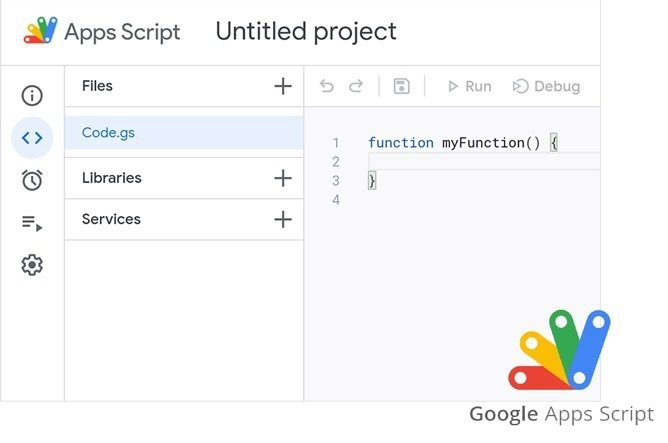
Google Apps Script: Automate and Customize Google Workspace with Code
Google Apps Script is a versatile scripting platform built on JavaScript that enables users to automate workflows and extend the capabilities of Google Workspace applications. Whether you’re looking to streamline repetitive tasks, generate custom reports, or build tailored workflows, Apps Script offers a powerful yet accessible way to create solutions that fit your unique business needs. By writing simple scripts, users can automate processes across various tools, including Google Sheets, Docs, Gmail, and Calendar, thereby saving time and reducing manual effort.
Beyond automation, Google Apps Script facilitates seamless integration between different Google services and even third-party APIs, enabling sophisticated customizations and enhanced productivity. Its cloud-based environment means your scripts run securely online without needing additional infrastructure. From automating data entry and sending personalized email campaigns to building complex add-ons and dashboards, Google Apps Script empowers users — whether beginners or advanced developers — to unlock the full potential of Google Workspace.
Here’s an overview of how Google Apps Script enhances the Google Workspace experience:
- Custom Add-ons:
Apps Script enables you to develop custom add-ons for Google Workspace apps like Google Docs, Sheets, and Forms. These add-ons extend the functionality of these applications, allowing you to integrate third-party services, automate workflows, and enhance document processing. - Automated Workflows:
With Apps Script, you can automate repetitive tasks and workflows within Google Workspace. For instance, you can create scripts that automatically send personalized emails, generate reports from Google Sheets data, or update Google Calendar events based on specific triggers. - Data Integration:
Apps Script facilitates seamless integration between Google services and external data sources. You can pull data from external APIs, databases, or web services and manipulate and present that data within Google Workspace apps. - Event Triggers:
- Set up triggers to execute your app Script code based on specific events. These events can be time-driven, like running a script at a particular time, or triggered by actions such as form submissions or changes to a Google Sheet.
- Custom Interfaces:
With Apps Script, you can design personalized user interfaces using HTML, CSS, and JavaScript. You can build pop-up dialogs, sidebars, or standalone web applications that interact with Google Workspace data. - Advanced-Data Processing:
Utilize Google Apps Script to perform complex data processing tasks that go beyond the capabilities of the standard Google Workspace apps. For instance, you can analyze and manipulate data using JavaScript functions. - Form Automation:
Customize Google Forms with Apps Script to add advanced features, such as dynamic form fields, data validation, and automatic data processing upon form submission. - Collaborative Automation:
Automate collaborative tasks within Google Workspace. For example, you can create scripts that notify team members when changes are made to shared documents or trigger actions based on specific conditions. - Security and Permissions:
Apps Script has built-in security features, including controlling access to scripts and data. You can set permissions and authentication methods to ensure the integrity and security of your custom solutions. - Community and Libraries:
Benefit from a vibrant community of developers who share their scripts and solutions. You can also use external libraries to leverage pre-built code and functionality. - Learning Resources:
Google provides extensive documentation, tutorials, and sample scripts to help users learn and master Apps Script, even if they have limited coding experience.
Google Apps Script empowers users to create tailored solutions that fit their unique requirements, enhancing productivity and streamlining processes within Google Workspace applications. Whether you’re a beginner or an experienced developer, Apps Script offers the flexibility to create custom tools and automate tasks, transforming how you work with Google Workspace.

Google Cloud Search in Google Workspace: Streamlining Information Discovery and Access
Google Cloud Search is a powerful enterprise search tool seamlessly integrated into Google Workspace, designed to help organizations quickly locate and access information spread across multiple data sources. Whether you’re searching through emails, documents, calendars, or shared drives, Cloud Search delivers fast, relevant results tailored to your organization’s unique content. By leveraging Google’s advanced search algorithms and AI technology, it simplifies information retrieval, saving valuable time and helping employees work more efficiently.
Beyond basic search, Google Cloud Search enhances collaboration and decision-making by providing personalized recommendations and context-aware suggestions, ensuring users find the correct information exactly when they need it. Its secure, scalable platform respects organizational permissions, so sensitive data remains protected while enabling broad access to essential resources. With Cloud Search, teams can cut through information overload and stay focused on what truly matters.
Key Features and Benefits:
- Unified Search Experience:
Cloud Search provides a single search interface for several Google Workspace apps, such as Gmail, Drive, Docs, and Calendar. This ensures that users can locate information stored across these platforms seamlessly. - Personalized Results:
Cloud Search uses machine learning to deliver personalized search results based on user behavior, preferences, and interactions. This enables individuals to find the most relevant information quickly. - Deep Integration:
The integration of Cloud Search with various Google Workspace apps allows users to search for content within documents, emails, files, and conversations directly from the search bar, minimizing the need to switch between different applications. - Advanced Search Capabilities:
Cloud Search supports advanced search capabilities, such as natural language processing, contextual understanding, and search operators. This empowers users to perform precise searches and refine results effectively. - Security and Privacy:
Google Cloud Search adheres to stringent security standards, ensuring access to sensitive information is controlled and protected. It respects user permissions and access controls set within Google Workspace, maintaining data integrity. - Cross-Device Accessibility:
Cloud Search is accessible across devices and platforms, enabling users to search for information on desktops, laptops, tablets, and mobile phones. This ensures seamless access to critical data, regardless of location. - Content Discovery:
Beyond individual search queries, Cloud Search proactively surfaces relevant information and recommendations based on user activities, helping users discover valuable content they may have needed to be actively looking for. - Time-Saving Efficiency:
By reducing the time spent searching for information, Cloud Search enhances efficiency and productivity within organizations. Users can focus more on collaborating and making informed decisions. - Enterprise-Level Indexing:
Cloud Search’s advanced indexing technology ensures that even large and complex datasets are searchable quickly and accurately, enabling organizations to manage their growing digital content repositories effectively. - Customization and Integration:
Cloud Search can be customized to fit an organization’s specific needs and integrated with third-party applications using APIs, extending its capabilities to other tools and platforms.
Access to relevant information is pivotal for informed decision-making and smooth collaboration in a fast-paced business environment. Google Cloud Search addresses this need by offering a powerful search solution that helps users find content and enhances the overall workflow by promoting seamless access to information across the Google Workspace ecosystem. With its intelligent features and user-friendly interface, Cloud Search contributes to a more productive and connected workforce.

Google Workspace Admin: Empowering Control and Management
Google Workspace offers powerful administrative tools that give IT leaders and administrators comprehensive control over their organization’s digital environment. From creating and managing user accounts to configuring access permissions, these features enable smooth onboarding and offboarding, ensuring the right people have the proper access at all times. With centralized dashboards and intuitive controls, administrators can easily monitor usage, manage devices, and enforce policies that align with organizational goals.
Security is a top priority within Google Workspace Admin, offering advanced settings to safeguard data and protect against threats. Administrators can enforce multi-factor authentication, manage encryption, configure compliance rules, and monitor suspicious activity — all from a unified console. Additionally, these admin tools support customization and integration, enabling organizations to tailor workflows, deploy applications, and automate routine tasks, thereby empowering teams to collaborate securely and efficiently.
User Management:
- User Provisioning and Deprovisioning:
Administrators can easily add and remove users, granting or revoking access to Google Workspace services as needed. - User Groups:
Create and manage groups to streamline permissions and access for specific teams or projects. - Single Sign-On (SSO):
Integrate Google Workspace with your organization’s identity provider for simplified and secure access. - User Profiles:
View and manage user information, including contact details and organizational roles.
Security and Compliance:
- Data Security:
Set security policies to control data sharing and access permissions, preventing unauthorized use of sensitive information. - 2-Step Verification:
Enforce an additional layer of security to protect user accounts. - Advanced Phishing and Malware Protection:
Shield users from malicious emails and attachments with real-time scanning. - Data Loss Prevention (DLP):
Create rules to prevent sharing sensitive information via email or Drive. - Mobile Device Management:
Monitor and manage mobile devices accessing Google Workspace services for security and compliance.
Admin Console:
- Centralized Control:
The Admin Console offers a single control point for managing users, services, and settings. - Customization:
Tailor Google Workspace to your organization’s needs by adjusting settings for branding, default apps, and more. - Reports and Analytics:
Gain insights into usage patterns, collaboration trends, and security events through comprehensive reporting.
App Marketplace:
- App Deployment:
Admins can select and deploy third-party apps from the Google Workspace Marketplace to enhance functionality. - Security Apps:
Discover and implement apps that enhance the organization’s security, compliance, and productivity.
Compliance and Archiving:
- Google Vault:
Archive and retain emails and chats for compliance and legal purposes. Admins can search and export data as needed.
Support and Updates:
- 24/7 Support:
Access Google’s support resources for assistance with technical issues and best practices.
- Automatic Updates:
Benefit from automatic updates and enhancements to keep your organization’s workspace up-to-date.
Access Google’s support resources for assistance with technical issues and best practices.
Benefit from automatic updates and enhancements to keep your organization’s workspace up-to-date.
Google Workspace Admin features streamline administrative tasks, enhance security, and ensure that the organization’s digital workspace aligns with its policies and goals. These capabilities enable administrators to manage user accounts, data, and access permissions effectively while maintaining a secure and collaborative environment.

Google Endpoint Management: Manage and Secure Devices within your organization
Google Endpoint Management is a comprehensive device management solution that provides IT administrators complete control over laptops, smartphones, tablets, and other devices used within an organization. Through a centralized console, admins can easily monitor and configure device settings, enforce security policies, and manage application access to ensure devices comply with company standards. This centralized approach helps organizations maintain consistent security and operational practices across a diverse range of devices and operating systems.
Whether devices are on-premises or remote, Google Endpoint Management allows administrators to safeguard corporate data by enforcing encryption, managing password requirements, and remotely wiping devices if needed. Its seamless integration with Google Workspace ensures that device management aligns with overall organizational security protocols while enabling employees to work flexibly and securely from anywhere. By streamlining device oversight, Google Endpoint Management plays a crucial role in maintaining productivity and protecting sensitive information.
Key Features:
- Device Management:
Google Endpoint Management provides a unified interface to manage devices across different platforms, including Android, iOS, Windows, and MacOS. - Security Policies:
Administrators can enforce security policies to ensure that devices adhere to the organization’s security standards. This includes enforcing encryption, setting password requirements, and enabling remote wipe capabilities. - Application Management:
Control the applications accessible on devices within the organization. Push essential apps to devices and prevent unauthorized app installations. - Device Inventory:
Gain insights into the devices used within the organization, tracking hardware specifications, software versions, and other relevant information. - Remote Management:
Remotely manage devices, troubleshoot issues, and deploy updates without requiring physical access to the device.
Lost Device Protection: Enable remote locate, lock, and wipe functionalities for lost or stolen devices, safeguarding sensitive data. - Configuration Profiles:
Create and apply device configuration profiles to ensure consistent device settings and security. - Automated Device Enrollment:
Simplify device provisioning by enabling automatic enrollment into the organization’s management system as soon as a user activates their device. - Device Compliance:
Monitor devices for compliance with organizational policies and take actions to align non-compliant devices. - Integration with Google Workspace:
Seamlessly integrate Endpoint Management with other Google Workspace services, such as Google Drive and Gmail, to enhance overall security and management capabilities.
Endpoint Management Benefits:
- Enhanced Security:
Maintain a higher level of security across all devices, protecting sensitive data and preventing security breaches. - Efficient Management:
Streamline device management tasks through a centralized console, reducing IT overhead. - Consistent Configurations:
Ensure that devices adhere to uniform configurations and security settings. - Remote Accessibility:
Resolve device issues and manage updates remotely, reducing the need for physical intervention. - Data Protection:
Safeguard organizational data by remotely wiping lost or stolen devices. - Compliance Enforcement:
Ensure that devices meet compliance standards and take action to address non-compliance.
Google Endpoint Management within Google Workspace offers organizations the tools to manage devices effectively, maintain security, and improve overall operational efficiency. Organizations can confidently embrace modern work practices while upholding stringent security measures by providing a centralized approach to device management.

Google Vault: Data Retention and e-Discovery Made Easy
Google Vault is a crucial component of Google Workspace, offering organizations powerful tools to manage data retention, compliance, and e-discovery efficiently. It enables businesses to securely archive, retain, search, and export data from various Google Workspace apps, including Gmail, Drive, Chat, and more. By enabling customizable retention policies and legal holds, Google Vault helps organizations meet regulatory requirements and prepare for audits or legal proceedings with confidence.
Beyond compliance, Google Vault simplifies data management by offering a centralized platform for searching and retrieving information quickly and accurately. Its intuitive interface supports precise searches across multiple data sources, ensuring critical information is accessible when needed while protecting sensitive content through strict access controls. With Google Vault, organizations can maintain a secure, organized, and compliant digital environment without disrupting daily operations.
Key Features:
- Data Retention:
Google Vault allows administrators to set retention policies for emails and chat messages, ensuring that critical business communications are securely stored for the required duration. This helps companies meet regulatory and compliance requirements without manual data archiving. - Legal Holds:
Vault suspends automatic data deletion through legal holds when legal matters arise. This ensures that relevant data is preserved for potential litigation, investigations, or audits, preventing accidental data loss. - Powerful Search:
Google Vault offers advanced capabilities to swiftly locate specific emails, chat messages, files, and documents. Administrators can use search filters and keywords to pinpoint relevant information, streamlining e-discovery. - Export and Export Formats:
Vault facilitates data extraction for legal and compliance needs. It supports various export formats, allowing seamless data sharing with legal teams and authorities. - Audit Trails:
Detailed activity logs provide insights into data access, export actions, and search queries performed within Vault. This audit trail enhances transparency and accountability. - User Access Control:
Vault offers granular access controls, ensuring only authorized personnel can manage and access sensitive data. This helps maintain the integrity of stored information.
Google Vault Benefits:
- Streamlined Compliance:
Google Vault assists organizations in complying with industry regulations and legal mandates by automating data retention and simplifying the e-discovery process. - Efficient Investigations:
When dealing with legal disputes or internal investigations, Vault speeds up the process of retrieving relevant data, saving time and reducing costs associated with manual data gathering. - Reduced Data Risk:
By implementing consistent retention policies and legal holds, businesses minimize the risk of inadvertently deleting critical information that might be required. - Centralized Data Management:
Google Vault offers a centralized platform for managing data retention policies and e-discovery tasks, providing administrators with a comprehensive view of their organization’s data. - Data Security:
The Vault ensures data security during exports and transfers, safeguarding sensitive information throughout e-discovery.
Google Vault enhances the comprehensive capabilities of Google Workspace, catering to businesses requiring meticulous data management, compliance adherence, and efficient e-discovery. With its user-friendly interface and powerful features, Vault is essential for maintaining data integrity and legal preparedness within today’s complex business landscape.

Google Work Insights: Enhancing Workplace Analytics and Collaboration
Google Work Insights is a powerful analytics tool within Google Workspace, designed to provide organizations with deep visibility into how their teams are using collaboration tools. By aggregating data on usage patterns, adoption rates, and interaction trends across apps such as Gmail, Meet, Drive, and Docs, Work Insights enables administrators and managers to understand employee engagement and collaboration dynamics. This data-driven approach enables organizations to identify opportunities for enhancing workflows, boosting productivity, and cultivating a more cohesive work environment.
With Google Work Insights, decision-makers gain actionable intelligence to support strategic planning and change management. The platform provides customizable reports and dashboards that highlight key metrics, including meeting frequency, file-sharing activity, and communication patterns, while maintaining user privacy through the use of aggregated and anonymized data. By leveraging these insights, organizations can tailor training programs, optimize tool adoption, and ultimately create a more efficient and collaborative workplace culture.
Here’s an overview of what Google Work Insights brings to the table:
- User Adoption Analysis:
Gain a deep understanding of how your team embraces Google Workspace tools. Work Insights offers data on adopting various apps, helping you identify which applications are most used and where additional training might be needed. - Collaboration Patterns:
Explore how teams collaborate and communicate by examining usage patterns within Gmail, Google Drive, Google Docs, Google Sheets, and other Google Workspace apps. This insight can be instrumental in identifying successful collaboration practices and areas that require optimization. - Team Performance Metrics:
Work Insights allows you to assess teams’ performance through metrics like file sharing frequency, active contributors, and engagement levels. This can assist in recognizing high-performing teams and understanding collaboration dynamics. - Engagement Tracking:
Monitor how often users engage with specific Google Workspace features, helping administrators identify areas where certain tools might be underutilized or overlooked. - Data on External Collaboration:
Understand how your organization interacts with external collaborators, providing insights into data-sharing trends, allowing you to ensure security while maintaining productive partnerships. - Usage Trends Over Time:
Track how usage patterns evolve. This data can highlight shifts in workflow, app adoption, and collaboration practices, aiding proactive adjustments and enhancements. - Granular Insights:
Work Insights provides high-level overviews and granular insights, allowing you to drill down into specific departments, teams, or individuals. This helps administrators tailor their strategies to the unique needs of different segments. - Change Management Support:
Implementing new technologies can be challenging. Work Insights assists in change management by offering data to demonstrate how effectively the organization adapts to new tools and workflows. - Data-Driven Decision Making:
With access to comprehensive data, administrators can make informed decisions regarding training initiatives, application deployment strategies, and resource allocation. - Privacy and Security:
Google Work Insights respects user privacy and security. It aggregates and anonymizes data to provide insights without compromising sensitive information. - Custom Reports:
Generate custom reports based on your organization’s needs, ensuring the insights gained align closely with your goals.
By offering a powerful analytics suite and insights, Google Work Insights empowers organizations to optimize their Google Workspace utilization, enhance collaboration, and promote a more productive and efficient work environment. It’s a valuable tool for organizations leveraging data-driven insights for workplace improvement.
Google Workspace Business Benefits
As businesses evolve, the need for seamless collaboration and enhanced productivity has become paramount. Enter Google Workspace, the transformative suite of cloud-based tools designed to empower businesses of all sizes. From startups to established enterprises, Google Workspace offers many benefits that can revolutionize how your team works. Let’s dive into the comprehensive array of advantages that this suite brings to the table.

Enhanced Collaboration Tools
Real-time Editing and Co-authoring
Imagine working on a project where everyone’s contributions seamlessly merge into one cohesive masterpiece. With Google Workspace, real-time collaboration isn’t a distant dream – it’s a reality. You and your team can edit documents, spreadsheets, and presentations simultaneously, watching changes unfold in real-time. It’s like conducting a symphony where every instrument harmonizes flawlessly.
Shared Calendars and Scheduling
Tired of scheduling mishaps that lead to chaotic overlaps and missed meetings? Google Workspace offers shared calendars that streamline your team’s scheduling efforts. Whether it’s a crucial client meeting or a brainstorming session, coordinating events becomes as smooth as choreography. Sync up with your colleagues’ schedules and ensure everyone’s on the same page.
Integrated Communication
Communication is the heartbeat of any successful business. Google Workspace knows this and provides Gmail, a robust platform for professional email correspondence. But it doesn’t stop there – Google Meet facilitates instant messaging and video conferencing. It’s like having a virtual meeting room where your team can connect seamlessly, regardless of their physical location.
Efficient Document Management
Google Drive
Cloud Storage: Say goodbye to the days of emailing documents back and forth, causing version confusion and cluttered inboxes. The cloud storage solution, Google Drive, lets you store and access files from anywhere, making collaboration feel like a well-choreographed dance. Secure sharing and permissions management ensure that your data is protected while remaining accessible to those who need it.
Version Control and History
In collaborative work, tracking changes is essential. Google Workspace simplifies this process by offering version control and history. You can easily trace your documents’ alterations, revisions, and evolution. It’s like having a time machine that helps you revisit past edits and revert to previous versions if necessary.
Advanced Search and Organization
With the mountains of data we deal with daily, finding specific files can feel like searching for a needle in a haystack. Google Workspace’s advanced search capabilities make this a breeze. Think of it as having a personal assistant swiftly fetching the necessary information. Labels, folders, and filters ensure your digital workspace remains tidy and organized.


Mobile Productivity
Cross-device Compatibility
The modern work landscape demands flexibility. Google Workspace meets this demand with cross-device compatibility. Whether you’re on your Computer, Smartphone, or Tablet, you can access Google Workspace tools, enabling you to work seamlessly while on the move. It’s like having a mobile office that fits in your pocket.
Offline Access
Enhanced Security And Data Protection
Data Encryption and Security
The security of your business data is non-negotiable. Google Workspace understands this, implementing robust encryption measures to safeguard your sensitive information. Two-factor authentication adds an extra layer of defense, ensuring only authorized personnel access your valuable data. It’s like having a fortress around your digital assets.
Data Loss Prevention
Continuous Backup and Recovery


Scalability And Customization
Flexible Plans for Growing Businesses
As your business grows, your needs evolve. Google Workspace understands this dynamic and offers flexible plans that cater to businesses of various sizes. Whether you’re a budding startup or a well-established enterprise, you can choose plans that align perfectly with your requirements. It’s like having a tailor who ensures your suit fits impeccably as you evolve.
Customizable Branding
Your brand identity is paramount. Google Workspace allows you to infuse your company’s branding into emails, documents, and more. Consistency is key in the business world, and by adding your branding, you present a unified front to your clients and partners. It’s similar to having your logo on every puzzle piece, creating a cohesive image.
Cost-Efficient Solutions
Predictable Subscription Pricing
Reduced IT Infrastructure Costs

Boost Your Productivity with Google Workspace by Google Cloud
Elevate your team’s collaboration and efficiency with Google Workspace—powered by Google Cloud. Whether you’re running a small business, managing an enterprise, or working with a remote team, Google Workspace provides you with everything you need to stay connected and productive.
Get your team on track with Google Workspace by Google Cloud, the ultimate productivity suite!
Frequently Asked Questions About Google Workspace By Google Cloud
What is Google Workspace?
Google Workspace (Formerly G Suite) is a collection of cloud-based productivity and collaboration tools designed to enhance business operations. It includes applications like Gmail, Google Drive, Google Docs, Sheets, Slides, and more, aiming to improve teamwork, communication, and efficiency.
How is Google Workspace different from G Suite?
Google Workspace is a rebranded version of G Suite that offers users an integrated and streamlined experience. While the core applications remain the same, Google Workspace emphasizes enhanced collaboration, seamless communication, and an improved user interface.
What are the benefits of using Google Workspace?
Google Workspace offers numerous benefits, including real-time collaboration, shared calendars, advanced document management, mobile productivity, enhanced security features, scalability, customizable branding, predictable pricing, and reduced IT infrastructure costs.
Can I use Google Workspace for my business ?
Absolutely! Google Workspace is available and widely used by businesses of all sizes. Its versatile features and cloud-based nature suit startups, enterprises, and everything.
How does Google Workspace improve collaboration?
Google Workspace fosters collaboration through real-time document editing and co-authoring, shared calendars for efficient scheduling, and integrated communication tools like Gmail and Google Meet. These features ensure that teams can work together seamlessly, regardless of their physical locations.
Is my data secure on Google Workspace?
Yes, Google Workspace prioritizes security. It offers data encryption, two-factor authentication, and data loss prevention tools. Your sensitive information is safeguarded, and continuous backup ensures your data’s safety, even in unforeseen situations.
Can I access Google Workspace on mobile devices?
Certainly! Google Workspace is designed with mobile productivity in mind. You can access and edit documents, send emails, and join video conferences through your Smartphone or Tablet, ensuring you stay productive.
How can I customize Google Workspace to match my brand?
Google Workspace allows you to add your company’s branding to emails, documents, and more. This customization ensures your business maintains a consistent and professional image across all interactions.
What are the pricing options for Google Workspace ?
Google Workspace provides various pricing plans to customers that cater to the specific needs of different businesses. These plans come with predictable subscription pricing, providing you with clarity on your expenses.
Can Google Workspace be scaled as my business grows?
Absolutely! One of the strengths of Google Workspace is its scalability. You can adjust your plan to match your business’s growth, providing the right tools whenever needed.
How can Google Workspace help reduce IT infrastructure costs?
Google Workspace’s cloud-based nature eliminates the need for extensive in-house hardware and infrastructure maintenance. This reduction in IT costs allows you to allocate resources more efficiently and focus on your core business activities.
Is there customer support available for Google Workspace users ?
Can I try Google Workspace before committing to a plan?
Yes, Google Workspace offers a trial period during which you can explore its features and assess how they align with your business needs. This trial period can help you decide before committing to a plan.
How do I migrate my existing data to Google Workspace?
Google provides migration tools and resources to help you seamlessly transfer your existing data, such as emails and files, to Google Workspace. These tools ensure a smooth transition without data loss.
Are there industry-specific applications within Google Workspace?
Are you Authorized Google Partner or Reseller?
Yes, we are. You can verify our Authorized Google Partner Listing on Google Cloud Partner’s Directory.
Do you provide Technical Support for Google Workspace Service ?
Yes, we do. We provide L1 Support for all your issues related to Google Workspace Service.
Do you accept monthly payments on an Annual agreement?
No. We accept monthly payments only for monthly renewal orders and annual payments for annual renewal orders. Both have different prices, and the monthly payment option is more expensive.